> ## Documentation Index
> Fetch the complete documentation index at: https://sentiment-docs.arhamwebworks.com/llms.txt
> Use this file to discover all available pages before exploring further.
# Article related
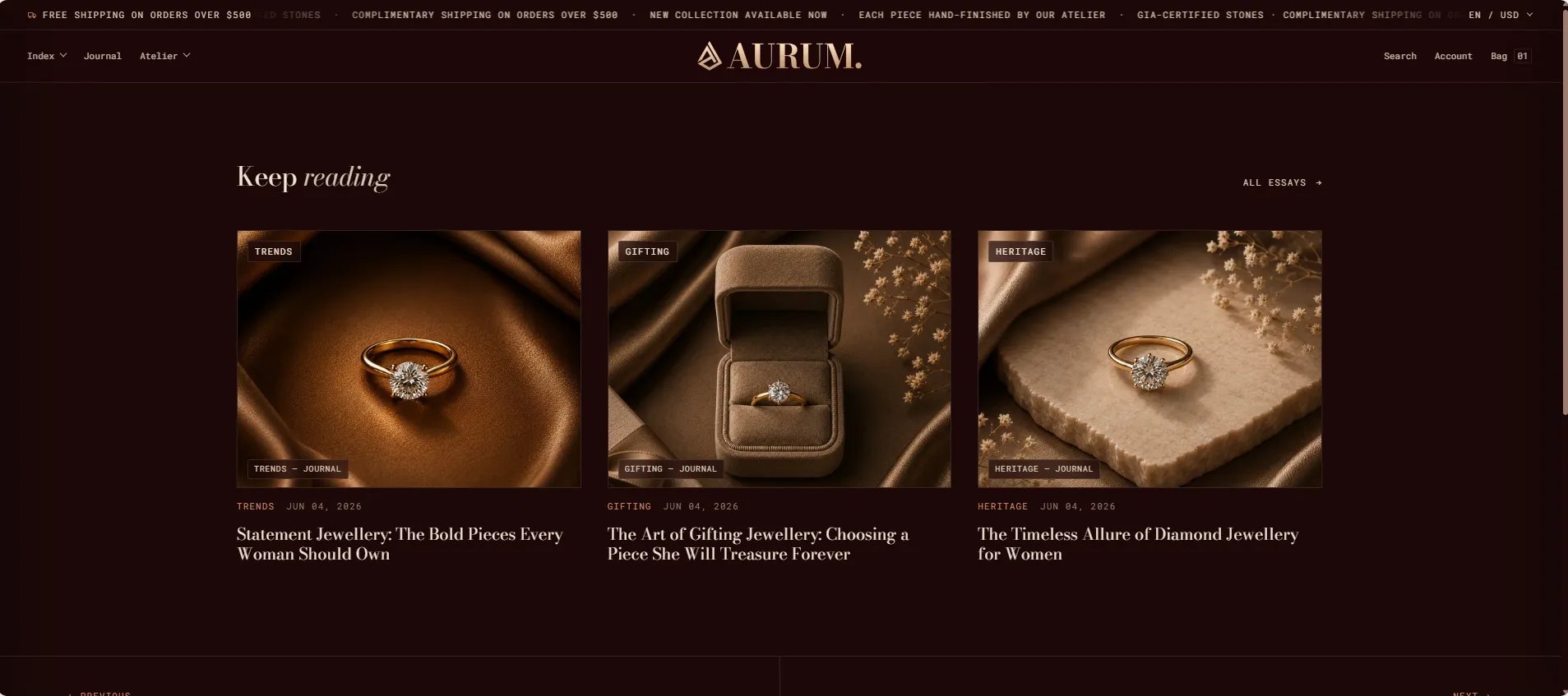
The **Article Related** section displays a grid of related articles and previous/next article navigation at the bottom of a blog post page. It helps keep readers engaged with your journal by surfacing relevant content after they finish an article — reducing drop-off and encouraging deeper exploration of your editorial archive.
 ### How to Configure the Section
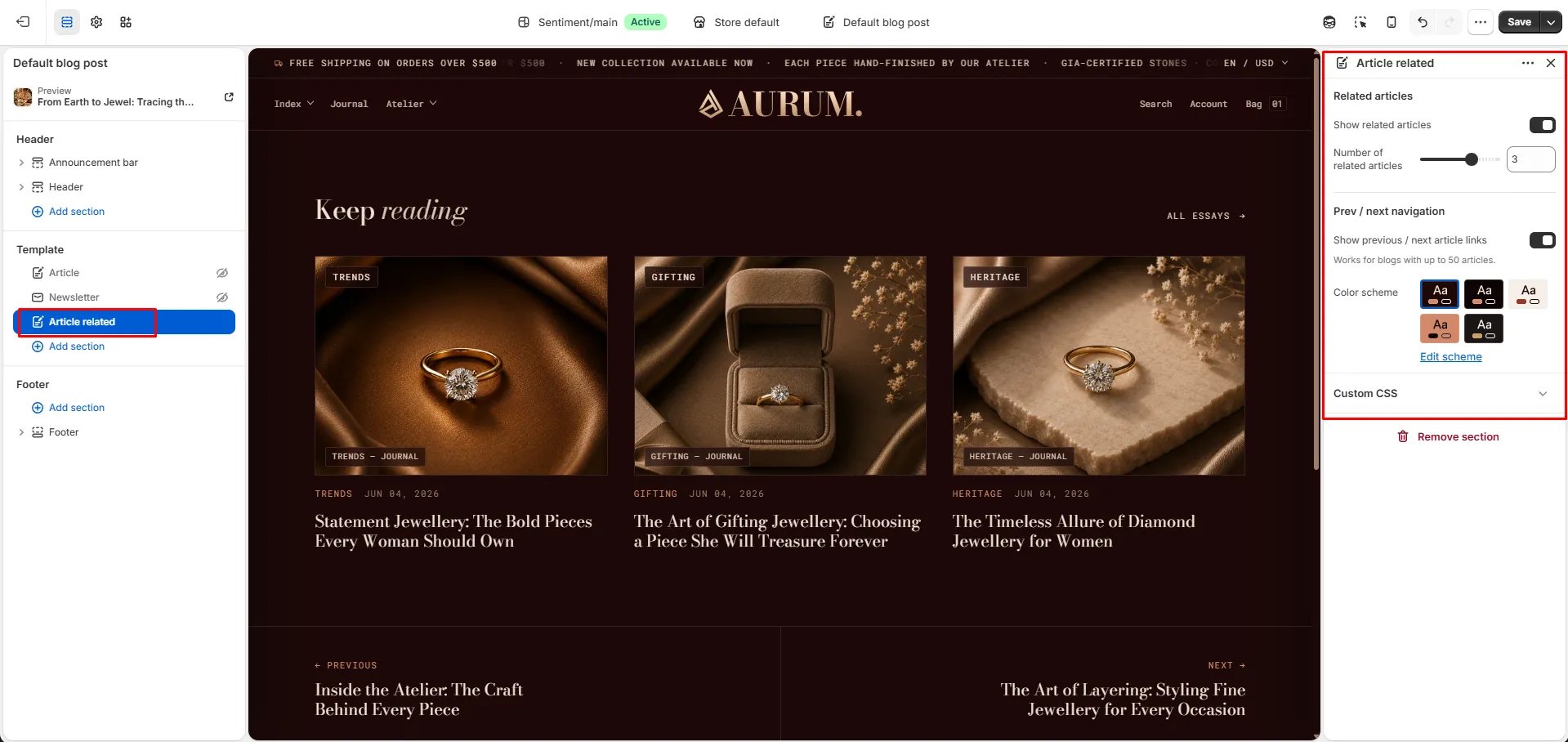
1. From your Shopify admin, go to **Online Store → Themes** and click **Customize**.
2. Use the page selector to navigate to an **Article** template page.
3. Click **Add section** and select **Article related**, or select it if already present in the template.
4. Adjust the settings and click **Save**.
### Section Settings
#### Related Articles
* **Show related articles:** Toggle to show or hide the grid of related articles below the post.
* **Related count:** Number of related articles to display in the grid (range: 1–4).
#### Navigation
* **Show previous / next:** Displays navigation links to the previous and next article in the blog. Note: this feature works for blogs with up to 50 articles.
#### Style
* **Color scheme:** Choose a color scheme for the section.
### How to Configure the Section
1. From your Shopify admin, go to **Online Store → Themes** and click **Customize**.
2. Use the page selector to navigate to an **Article** template page.
3. Click **Add section** and select **Article related**, or select it if already present in the template.
4. Adjust the settings and click **Save**.
### Section Settings
#### Related Articles
* **Show related articles:** Toggle to show or hide the grid of related articles below the post.
* **Related count:** Number of related articles to display in the grid (range: 1–4).
#### Navigation
* **Show previous / next:** Displays navigation links to the previous and next article in the blog. Note: this feature works for blogs with up to 50 articles.
#### Style
* **Color scheme:** Choose a color scheme for the section.