> ## Documentation Index
> Fetch the complete documentation index at: https://sentiment-docs.arhamwebworks.com/llms.txt
> Use this file to discover all available pages before exploring further.
# Blog header
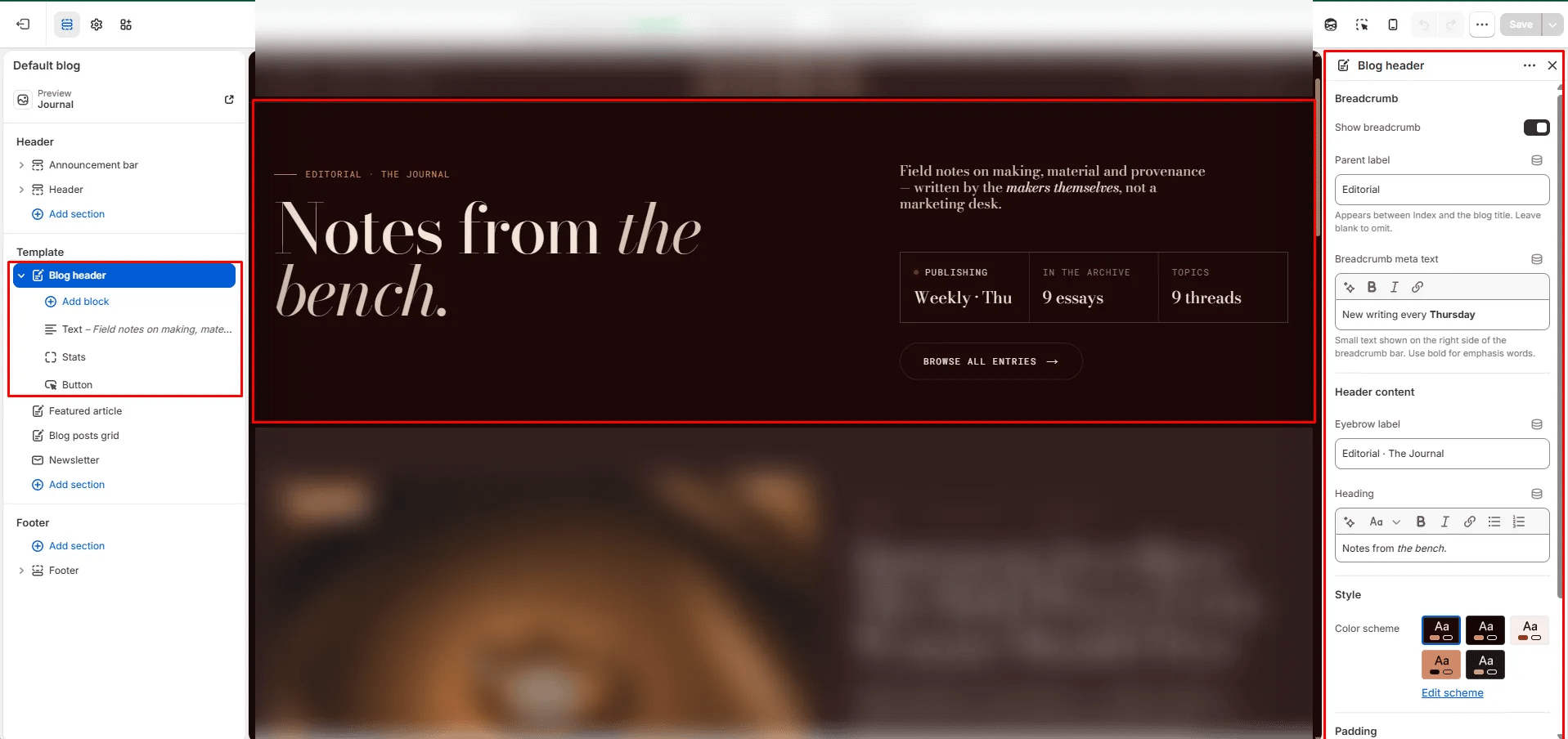
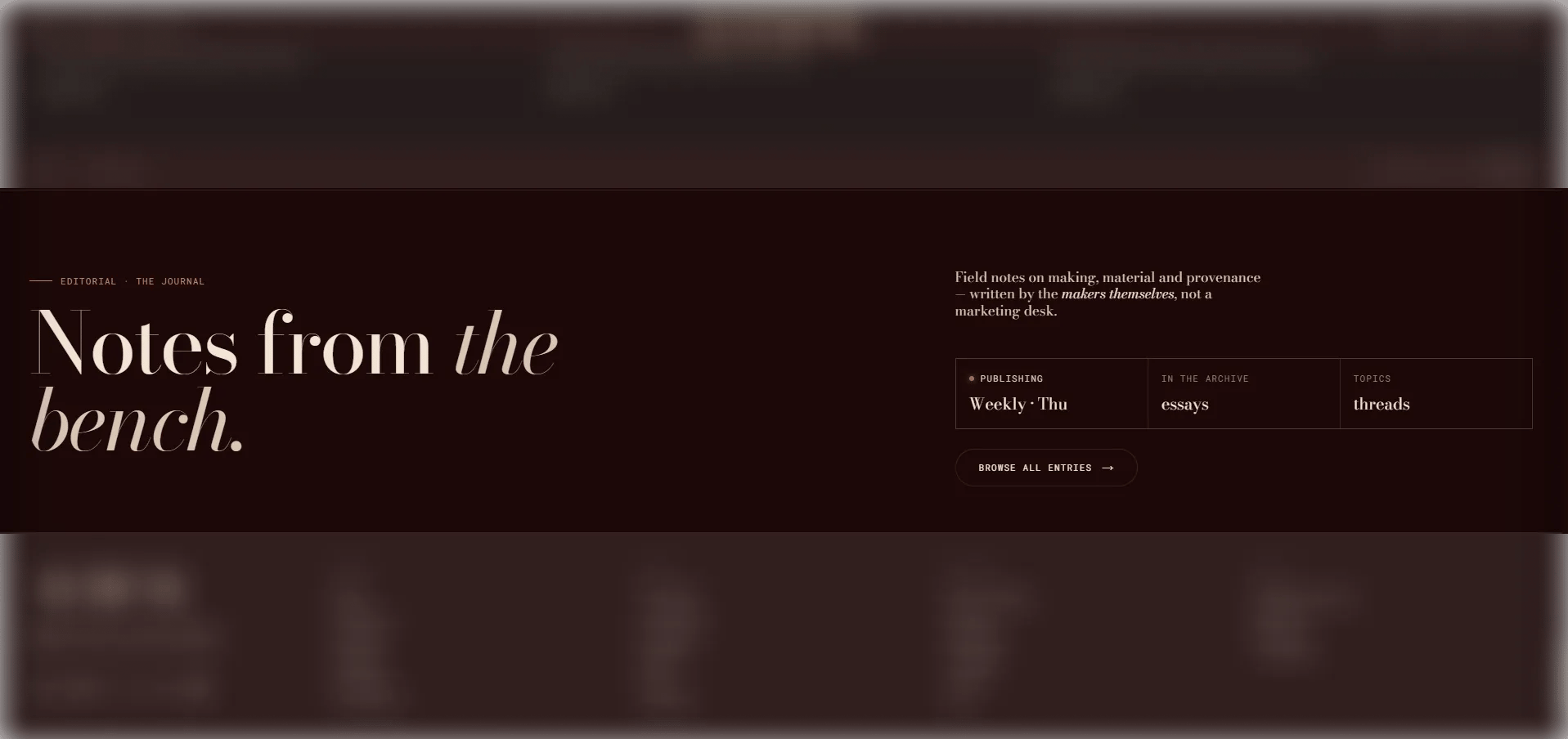
The **Blog Header** section is a full editorial masthead for blog listing pages. It features an optional breadcrumb with metadata, an eyebrow, a large rich text heading, and a configurable right column with text, stats, and a CTA button — creating an editorial introduction to your journal that sets the tone for the content below.
 ### How to Add the Section
1. From your Shopify admin, go to **Online Store → Themes** and click **Customize**.
2. Navigate to your **Blog** template page.
3. Click **Add section** and select **Blog header**.
4. Add optional blocks (Text, Stats, Button) to build the right column.
5. Click **Save**.
### Section Settings
#### Breadcrumb
* **Show breadcrumb:** Toggle to show or hide the breadcrumb navigation above the heading.
* **Breadcrumb parent:** The label displayed between "Index" and the blog title in the breadcrumb (e.g., "Editorial").
* **Breadcrumb meta:** Secondary descriptive text on the right side of the breadcrumb row. Supports inline rich text (e.g., "New writing every Thursday").
#### Content
* **Eyebrow:** Small text displayed above the main heading.
* **Heading:** The main masthead heading. Supports rich text and italic emphasis.
#### Style
* **Color scheme:** Choose a color scheme for the section.
#### Spacing
* **Padding top / Padding bottom:** Control the vertical spacing around the section.
***
### Heading Block Settings *(limit 1)*
A compact heading label displayed in the right column of the masthead.
* **Heading:** The text label to display (e.g., "Editorial · The Journal").
***
### Text Block Settings *(limit 1)*
A rich body text block in the right column.
* **Text:** Rich text content for the right column (e.g., a short editorial statement or description).
***
### Stats Block Settings *(limit 1)*
A three-cell stat grid displayed in the right column, optionally with a live indicator dot.
* **Show live dot:** Toggle to display an animated live dot — ideal for communicating that the blog is actively publishing.
* **Stat 1 label / value:** Label and value for the first stat cell (e.g., "Publishing / Weekly · Thu").
* **Stat 2 label:** Label for the second stat cell.
* **Stat 2 dynamic:** Set to **Article count** to automatically pull the live number of published articles, or **None** to use custom text.
* **Stat 2 value:** Custom value used only when the source is set to None.
* **Stat 3 label:** Label for the third stat cell.
* **Stat 3 dynamic:** Set to **Tag count** to automatically pull the total number of tags, or **None** for custom text.
* **Stat 3 value:** Custom value used only when the source is set to None.
***
### Button Block Settings *(limit 1)*
A CTA link displayed in the right column.
* **Label:** The button text.
* **URL:** The link destination. Leave blank to automatically link to the current blog's listing page.
### How to Add the Section
1. From your Shopify admin, go to **Online Store → Themes** and click **Customize**.
2. Navigate to your **Blog** template page.
3. Click **Add section** and select **Blog header**.
4. Add optional blocks (Text, Stats, Button) to build the right column.
5. Click **Save**.
### Section Settings
#### Breadcrumb
* **Show breadcrumb:** Toggle to show or hide the breadcrumb navigation above the heading.
* **Breadcrumb parent:** The label displayed between "Index" and the blog title in the breadcrumb (e.g., "Editorial").
* **Breadcrumb meta:** Secondary descriptive text on the right side of the breadcrumb row. Supports inline rich text (e.g., "New writing every Thursday").
#### Content
* **Eyebrow:** Small text displayed above the main heading.
* **Heading:** The main masthead heading. Supports rich text and italic emphasis.
#### Style
* **Color scheme:** Choose a color scheme for the section.
#### Spacing
* **Padding top / Padding bottom:** Control the vertical spacing around the section.
***
### Heading Block Settings *(limit 1)*
A compact heading label displayed in the right column of the masthead.
* **Heading:** The text label to display (e.g., "Editorial · The Journal").
***
### Text Block Settings *(limit 1)*
A rich body text block in the right column.
* **Text:** Rich text content for the right column (e.g., a short editorial statement or description).
***
### Stats Block Settings *(limit 1)*
A three-cell stat grid displayed in the right column, optionally with a live indicator dot.
* **Show live dot:** Toggle to display an animated live dot — ideal for communicating that the blog is actively publishing.
* **Stat 1 label / value:** Label and value for the first stat cell (e.g., "Publishing / Weekly · Thu").
* **Stat 2 label:** Label for the second stat cell.
* **Stat 2 dynamic:** Set to **Article count** to automatically pull the live number of published articles, or **None** to use custom text.
* **Stat 2 value:** Custom value used only when the source is set to None.
* **Stat 3 label:** Label for the third stat cell.
* **Stat 3 dynamic:** Set to **Tag count** to automatically pull the total number of tags, or **None** for custom text.
* **Stat 3 value:** Custom value used only when the source is set to None.
***
### Button Block Settings *(limit 1)*
A CTA link displayed in the right column.
* **Label:** The button text.
* **URL:** The link destination. Leave blank to automatically link to the current blog's listing page.