> ## Documentation Index
> Fetch the complete documentation index at: https://sentiment-docs.arhamwebworks.com/llms.txt
> Use this file to discover all available pages before exploring further.
# Cart page
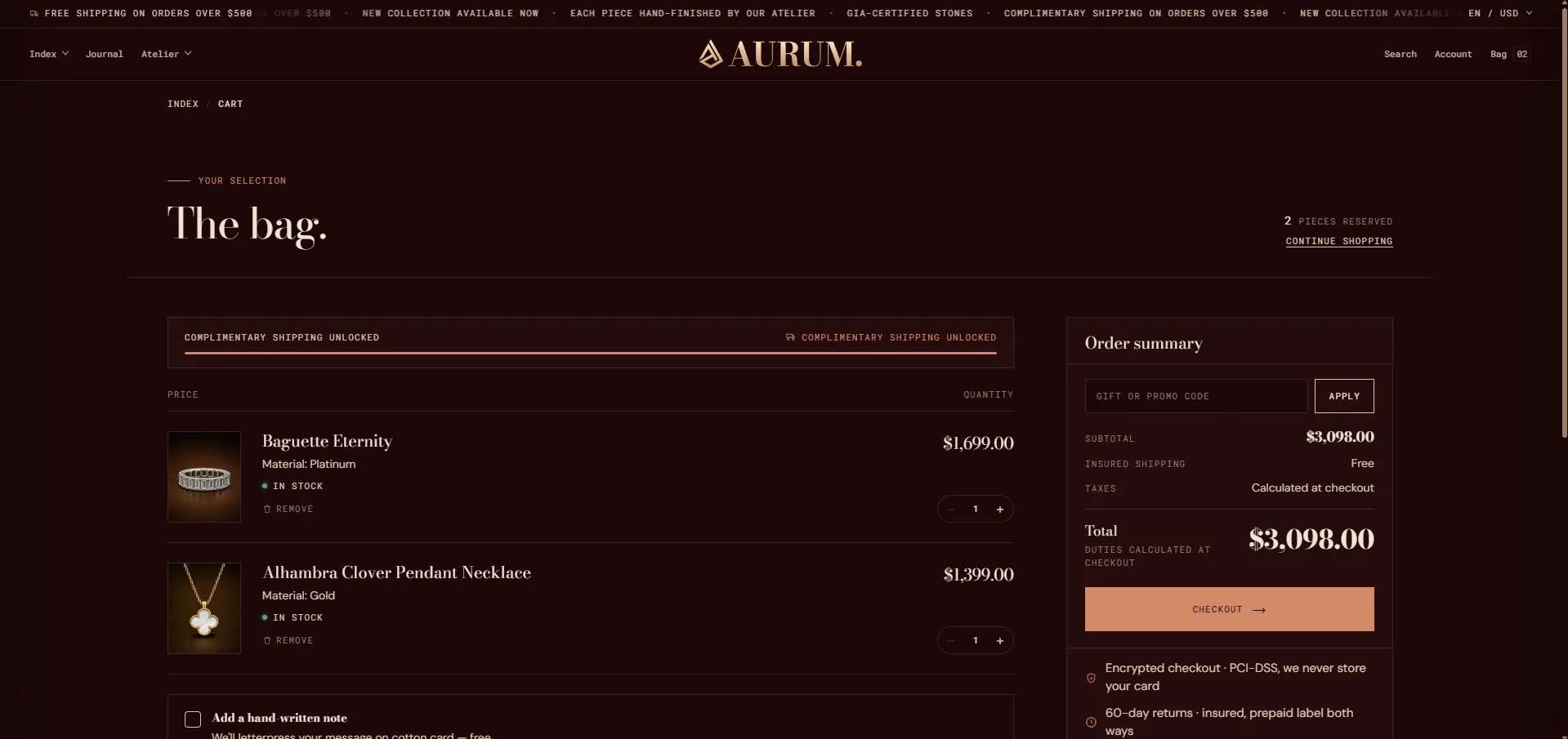
The **Cart** page in the Sentiment theme is powered by a single **Cart** section that renders the full bag experience — a branded page header, a line-item table with quantity controls, a gift box option, a handwritten note field, and a two-column order summary with trust bullets and a checkout button. All text, empty-state copy, and gift options are configurable from the Theme Editor.
 ### How to Configure the Cart Page
1. From your Shopify admin, go to **Online Store → Themes** and click **Customize**.
2. From the top page dropdown, select **Cart**.
3. Click **Cart** in the left sidebar under **Template** to open its settings.
4. Click **Save** when done.
***
### Cart Section Settings
### How to Configure the Cart Page
1. From your Shopify admin, go to **Online Store → Themes** and click **Customize**.
2. From the top page dropdown, select **Cart**.
3. Click **Cart** in the left sidebar under **Template** to open its settings.
4. Click **Save** when done.
***
### Cart Section Settings
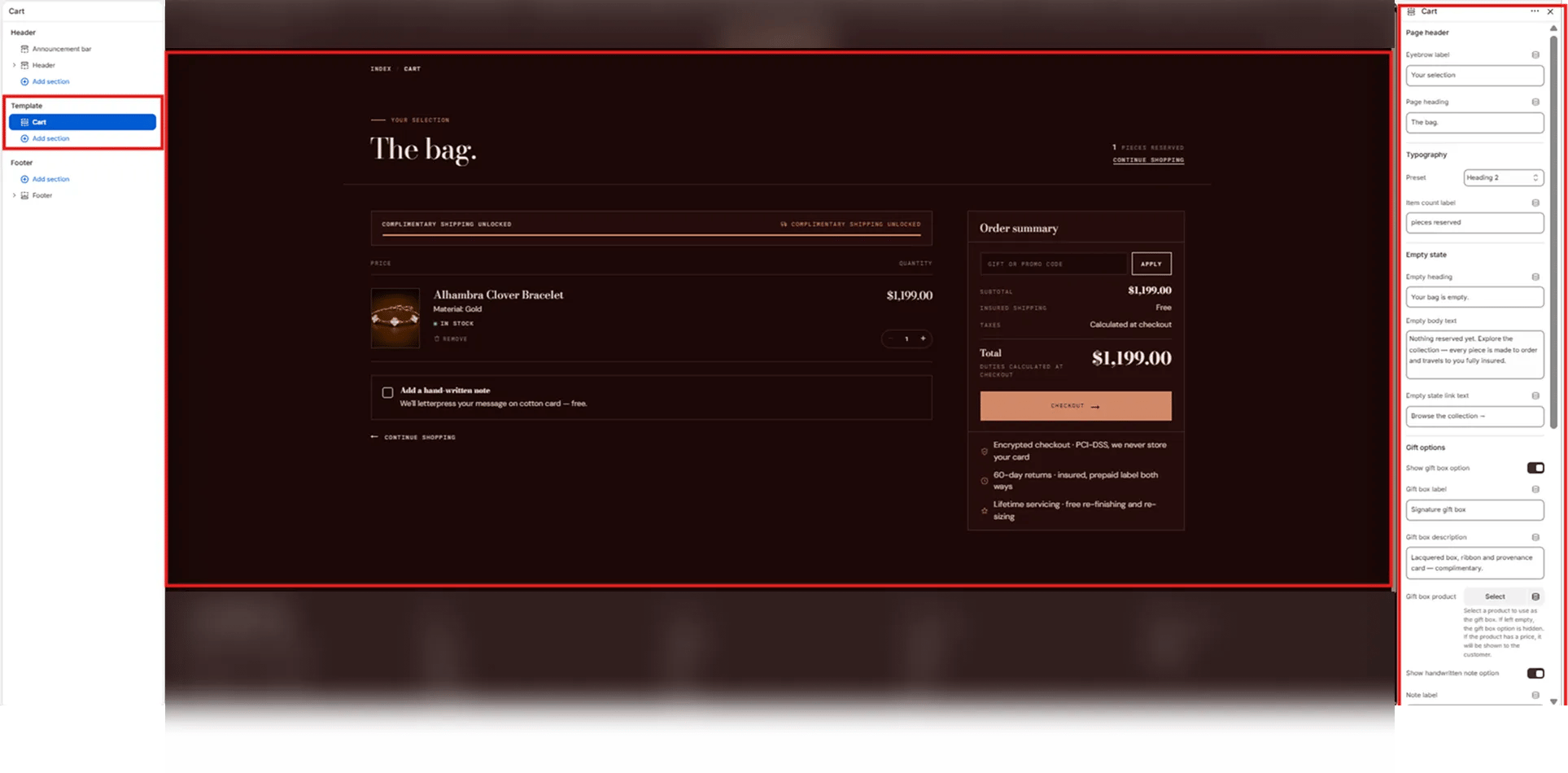 #### Page Header
* **Eyebrow label:** Small label displayed above the page heading (e.g., "Your selection").
* **Page heading:** The main cart page title (e.g., "The bag.").
* **Typography:** Choose the typographic preset for the page heading (e.g., Heading 2).
* **Item count label:** Text shown next to the cart item count in the top-right of the header (e.g., "pieces reserved" — displays as "1 PIECES RESERVED").
#### Empty State
These fields control what customers see when their cart is empty.
* **Empty heading:** Heading displayed on an empty cart (e.g., "Your bag is empty.").
* **Empty body text:** Supporting message below the empty heading (e.g., "Nothing reserved yet. Explore the collection — every piece is made to order and travels to you fully insured.").
* **Empty-state link text:** Label for the browse link shown on the empty cart page (e.g., "Browse the collection →").
#### Gift Options
The gift box option appears as a selectable add-on in the cart, letting customers add a branded gift box to their order.
* **Show gift box option:** Toggle to show or hide the gift box upsell in the cart.
* **Gift box label:** Name of the gift box option displayed to the customer (e.g., "Signature gift box").
* **Gift box description:** Short description shown below the gift box label (e.g., "Lacquered box, ribbon and provenance card — complimentary.").
* **Gift box product:** Select the Shopify product to use as the gift box. If left empty, the gift box option is hidden. If the selected product has a price, it will be shown to the customer.
#### Handwritten Note
* **Show handwritten note option:** Toggle to show or hide a handwritten note checkbox in the cart. When enabled, customers can opt in to add a personal message (e.g., "We'll letterpress your message on cotton card — free.").
* **Note label:** The checkbox label and supporting text shown next to the note option.
#### Page Header
* **Eyebrow label:** Small label displayed above the page heading (e.g., "Your selection").
* **Page heading:** The main cart page title (e.g., "The bag.").
* **Typography:** Choose the typographic preset for the page heading (e.g., Heading 2).
* **Item count label:** Text shown next to the cart item count in the top-right of the header (e.g., "pieces reserved" — displays as "1 PIECES RESERVED").
#### Empty State
These fields control what customers see when their cart is empty.
* **Empty heading:** Heading displayed on an empty cart (e.g., "Your bag is empty.").
* **Empty body text:** Supporting message below the empty heading (e.g., "Nothing reserved yet. Explore the collection — every piece is made to order and travels to you fully insured.").
* **Empty-state link text:** Label for the browse link shown on the empty cart page (e.g., "Browse the collection →").
#### Gift Options
The gift box option appears as a selectable add-on in the cart, letting customers add a branded gift box to their order.
* **Show gift box option:** Toggle to show or hide the gift box upsell in the cart.
* **Gift box label:** Name of the gift box option displayed to the customer (e.g., "Signature gift box").
* **Gift box description:** Short description shown below the gift box label (e.g., "Lacquered box, ribbon and provenance card — complimentary.").
* **Gift box product:** Select the Shopify product to use as the gift box. If left empty, the gift box option is hidden. If the selected product has a price, it will be shown to the customer.
#### Handwritten Note
* **Show handwritten note option:** Toggle to show or hide a handwritten note checkbox in the cart. When enabled, customers can opt in to add a personal message (e.g., "We'll letterpress your message on cotton card — free.").
* **Note label:** The checkbox label and supporting text shown next to the note option.