> ## Documentation Index
> Fetch the complete documentation index at: https://sentiment-docs.arhamwebworks.com/llms.txt
> Use this file to discover all available pages before exploring further.
# Countdown banner
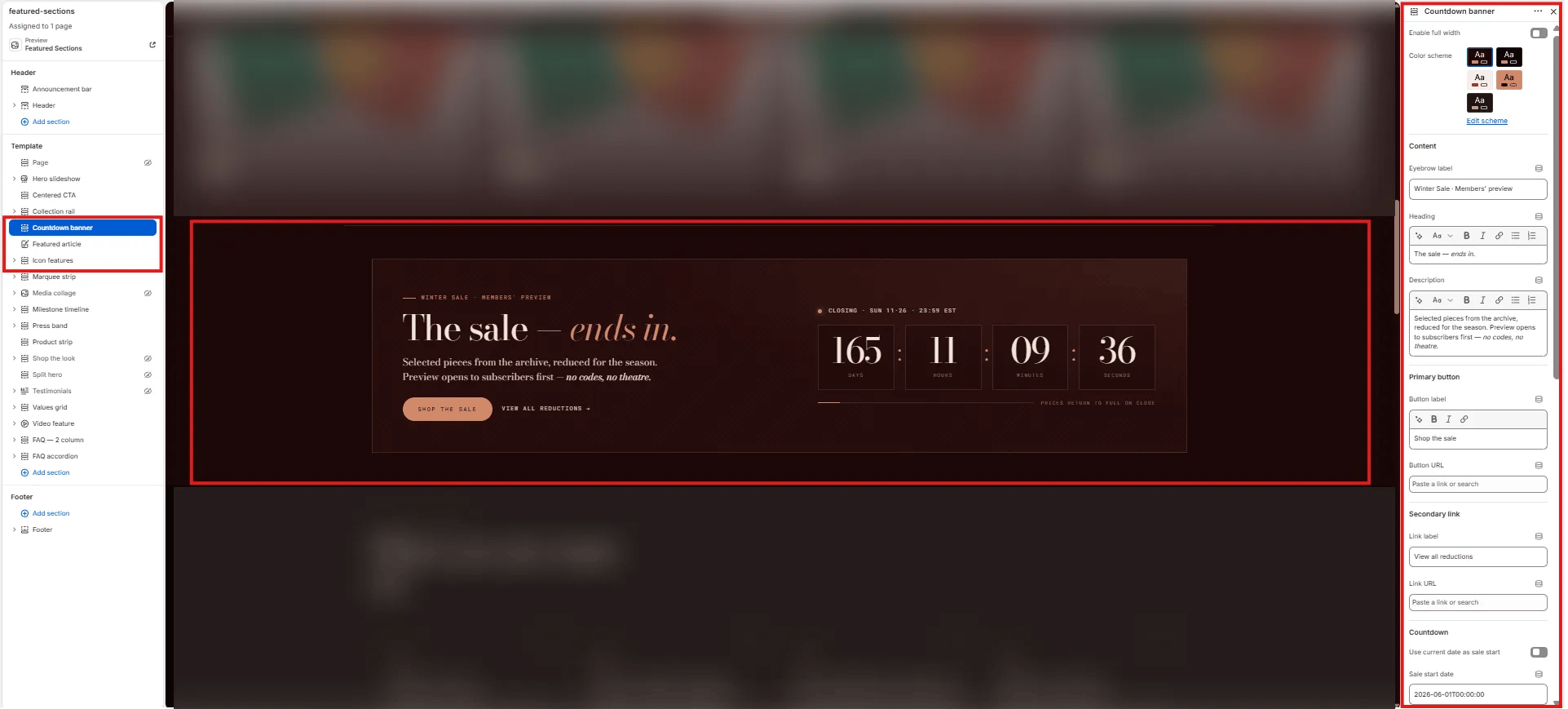
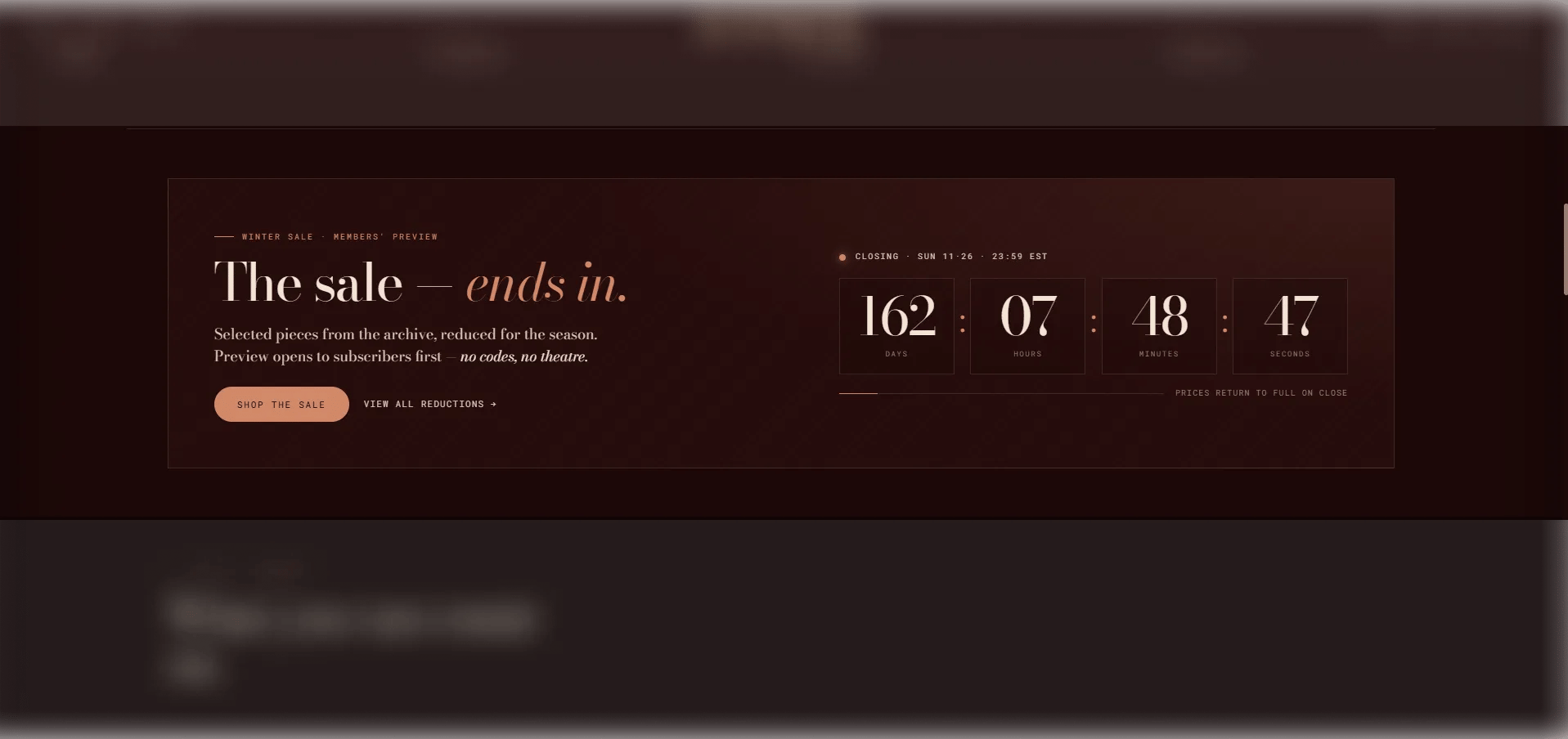
The **Countdown Banner** section is a full-width promotional banner with a live countdown timer. It includes an eyebrow, heading, body text, primary and secondary CTAs, and a configurable closing message that displays once the countdown reaches zero. Use it to build anticipation for sale launches, limited releases, or time-sensitive events.
 ### How to Add the Section
1. From your Shopify admin, go to **Online Store → Themes** and click **Customize**.
2. Navigate to the page where you want to add this section.
3. Click **Add section** and select **Countdown banner**.
4. Set your start and end datetimes in ISO 8601 format, fill in the content, and click **Save**.
### Section Settings
#### Content
* **Eyebrow:** Small label displayed above the heading.
* **Heading:** The main promotional headline. Supports rich text and italic emphasis.
* **Body:** Supporting body text. Supports rich text formatting.
* **CTA text / URL:** Inline primary call-to-action text and link destination.
* **CTA link text / URL:** Secondary CTA link text and destination.
#### Timer
* **Start now:** When enabled, the countdown starts immediately regardless of the start datetime — useful for testing or instant activation.
* **Start datetime:** The date and time when the countdown begins. Use ISO 8601 format (e.g., `2026-06-01T09:00:00Z`).
* **End datetime:** The date and time when the countdown ends. Use ISO 8601 format (e.g., `2026-06-07T23:59:59Z`).
* **Label days / hours / minutes / seconds:** Customize the unit labels shown beneath each timer digit.
* **Timer aria label:** An accessible label for the countdown timer, read by screen readers.
#### After Countdown
* **Closing label:** Text displayed when the countdown reaches zero (e.g., "The sale is live →").
* **Footer note:** A small note displayed below the timer (e.g., terms or exclusions).
* **Sale over text:** Message shown after the event has fully ended.
#### Style
* **Full width:** When enabled, the section stretches edge-to-edge.
* **Color scheme:** Choose a color scheme for the section.
#### Spacing
* **Padding top / Padding bottom:** Control vertical spacing around the section.
### How to Add the Section
1. From your Shopify admin, go to **Online Store → Themes** and click **Customize**.
2. Navigate to the page where you want to add this section.
3. Click **Add section** and select **Countdown banner**.
4. Set your start and end datetimes in ISO 8601 format, fill in the content, and click **Save**.
### Section Settings
#### Content
* **Eyebrow:** Small label displayed above the heading.
* **Heading:** The main promotional headline. Supports rich text and italic emphasis.
* **Body:** Supporting body text. Supports rich text formatting.
* **CTA text / URL:** Inline primary call-to-action text and link destination.
* **CTA link text / URL:** Secondary CTA link text and destination.
#### Timer
* **Start now:** When enabled, the countdown starts immediately regardless of the start datetime — useful for testing or instant activation.
* **Start datetime:** The date and time when the countdown begins. Use ISO 8601 format (e.g., `2026-06-01T09:00:00Z`).
* **End datetime:** The date and time when the countdown ends. Use ISO 8601 format (e.g., `2026-06-07T23:59:59Z`).
* **Label days / hours / minutes / seconds:** Customize the unit labels shown beneath each timer digit.
* **Timer aria label:** An accessible label for the countdown timer, read by screen readers.
#### After Countdown
* **Closing label:** Text displayed when the countdown reaches zero (e.g., "The sale is live →").
* **Footer note:** A small note displayed below the timer (e.g., terms or exclusions).
* **Sale over text:** Message shown after the event has fully ended.
#### Style
* **Full width:** When enabled, the section stretches edge-to-edge.
* **Color scheme:** Choose a color scheme for the section.
#### Spacing
* **Padding top / Padding bottom:** Control vertical spacing around the section.