> ## Documentation Index
> Fetch the complete documentation index at: https://sentiment-docs.arhamwebworks.com/llms.txt
> Use this file to discover all available pages before exploring further.
# FAQ help CTA
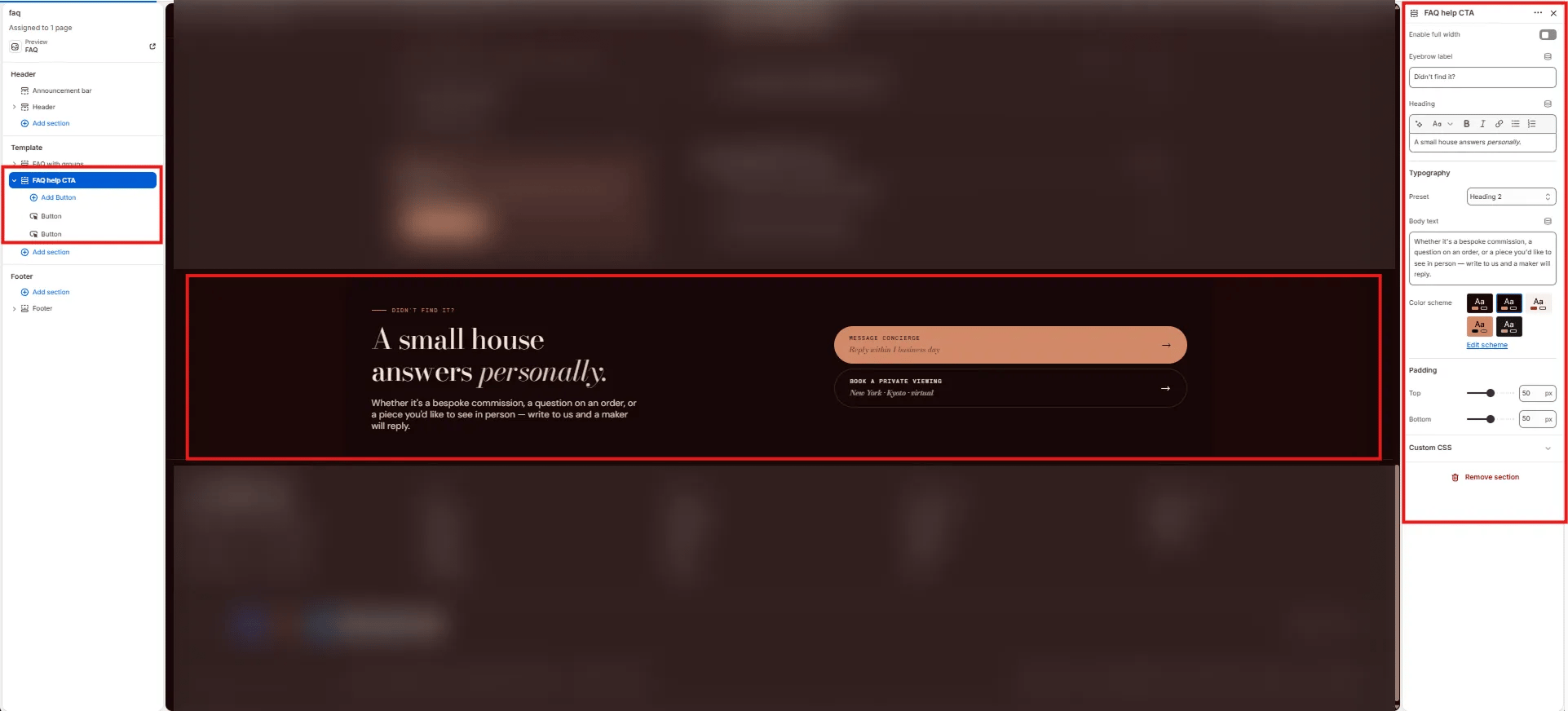
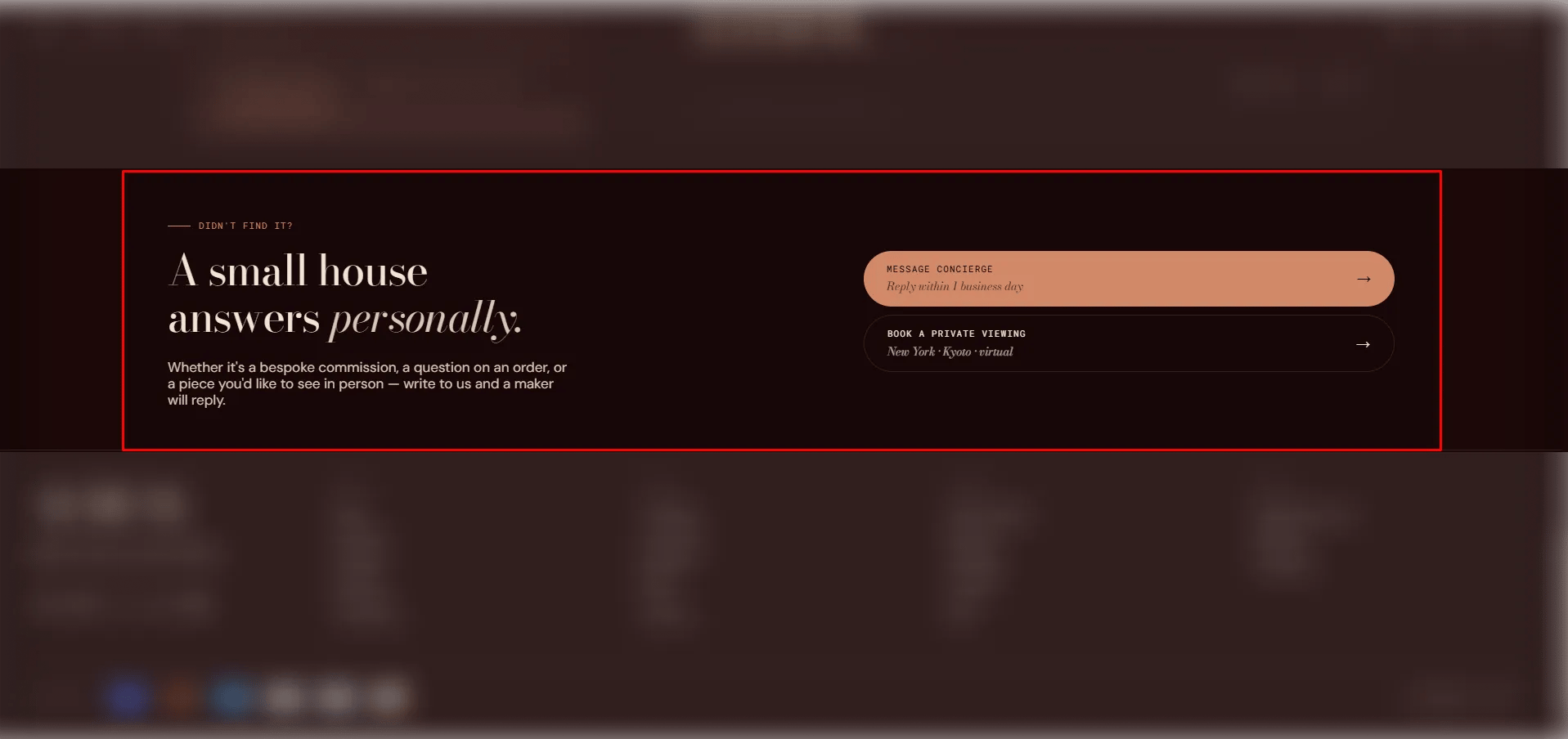
The **FAQ Help CTA** section is a compact call-to-action block with a heading and a row of action buttons. It's typically placed at the bottom of a FAQ page to direct customers toward support channels — such as opening a chat, booking a private viewing, or calling the studio — after they've finished reading the FAQ.
 ### How to Add the Section
1. From your Shopify admin, go to **Online Store → Themes** and click **Customize**.
2. Navigate to the page where you want to add this section.
3. Click **Add section** and select **FAQ help CTA**.
4. Add **Button** blocks for each action (up to 4 buttons).
5. Click **Save**.
### Section Settings
#### Content
* **Eyebrow:** Small label displayed above the heading.
* **Heading:** Main heading text. Supports rich text and italic emphasis.
* **Heading typography:** Select the typographic style for the heading.
* **Body:** Supporting text below the heading.
#### Style
* **Full width:** When enabled, the section stretches edge-to-edge.
* **Color scheme:** Choose a color scheme for the section. Default is Scheme 2.
#### Spacing
* **Padding top / Padding bottom:** Control vertical spacing around the section.
***
### Button Block Settings
Each Button block adds one action button to the CTA row. You can add up to 4 buttons.
* **Label:** The primary button text (e.g., "Message us").
* **Sub label:** A secondary line of text below the label (e.g., "Typically replies in 2 hours").
* **URL:** The link destination for the button.
* **Show background:** When enabled, the button renders as a filled/solid style. When disabled, it renders as a ghost/outline style.
### How to Add the Section
1. From your Shopify admin, go to **Online Store → Themes** and click **Customize**.
2. Navigate to the page where you want to add this section.
3. Click **Add section** and select **FAQ help CTA**.
4. Add **Button** blocks for each action (up to 4 buttons).
5. Click **Save**.
### Section Settings
#### Content
* **Eyebrow:** Small label displayed above the heading.
* **Heading:** Main heading text. Supports rich text and italic emphasis.
* **Heading typography:** Select the typographic style for the heading.
* **Body:** Supporting text below the heading.
#### Style
* **Full width:** When enabled, the section stretches edge-to-edge.
* **Color scheme:** Choose a color scheme for the section. Default is Scheme 2.
#### Spacing
* **Padding top / Padding bottom:** Control vertical spacing around the section.
***
### Button Block Settings
Each Button block adds one action button to the CTA row. You can add up to 4 buttons.
* **Label:** The primary button text (e.g., "Message us").
* **Sub label:** A secondary line of text below the label (e.g., "Typically replies in 2 hours").
* **URL:** The link destination for the button.
* **Show background:** When enabled, the button renders as a filled/solid style. When disabled, it renders as a ghost/outline style.