> ## Documentation Index
> Fetch the complete documentation index at: https://sentiment-docs.arhamwebworks.com/llms.txt
> Use this file to discover all available pages before exploring further.
# FAQ with groups
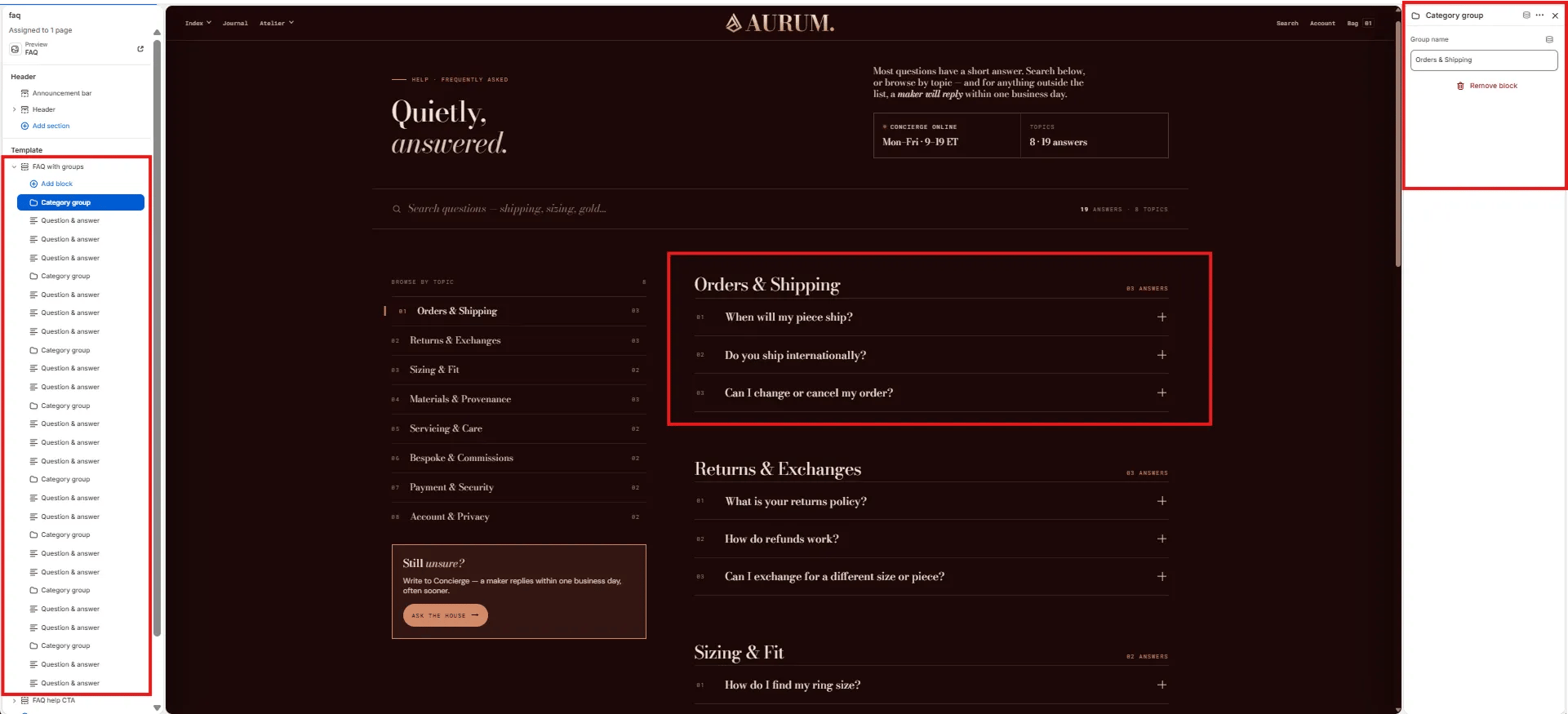
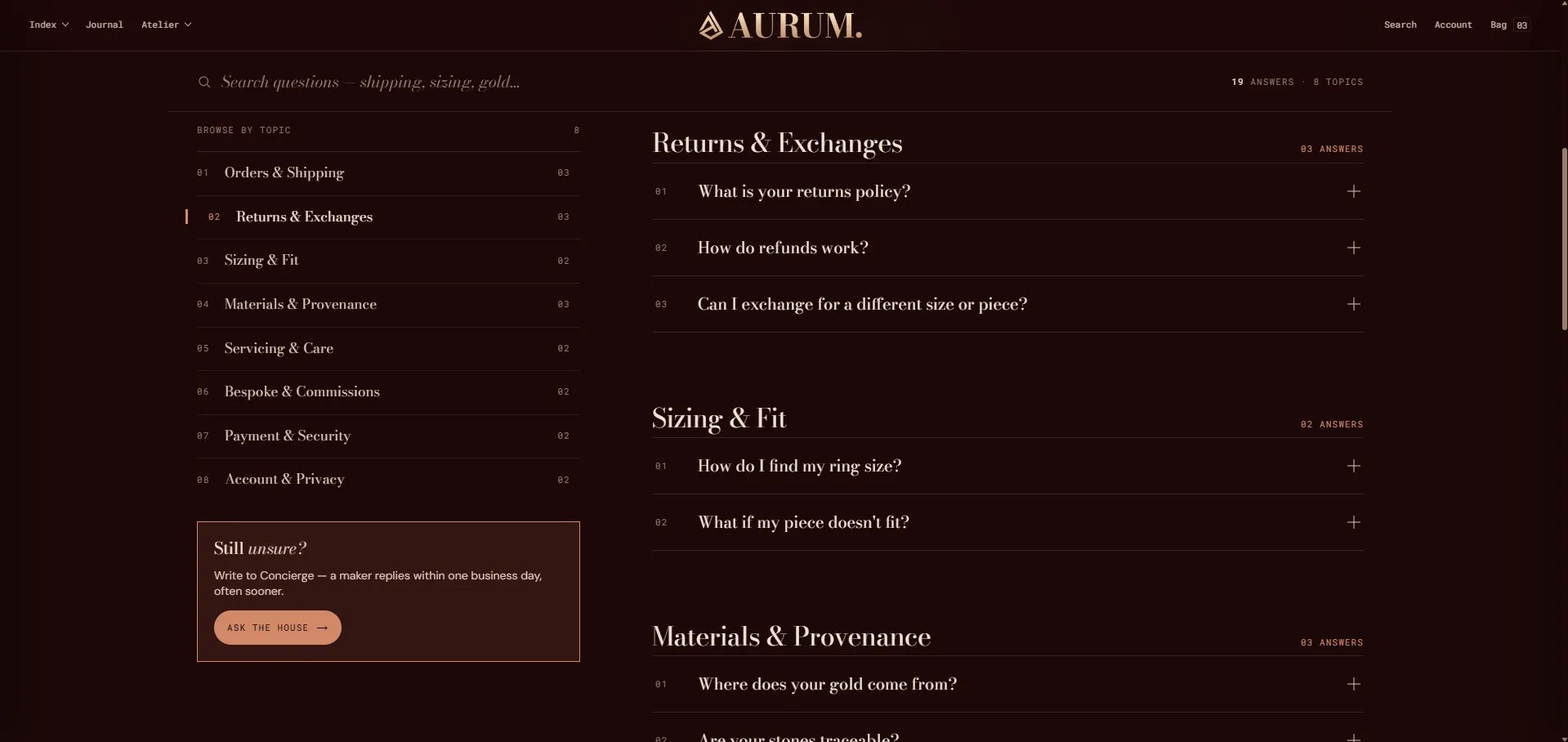
The **FAQ with Groups** section is the most advanced FAQ layout in the theme. It organizes questions into named groups (categories), includes a live search field that filters as customers type, a sidebar CTA card, and optional JSON-LD structured data for Google FAQ rich results. Best suited for comprehensive FAQ pages with many questions across multiple topics.
 ### How to Add the Section
1. From your Shopify admin, go to **Online Store → Themes** and click **Customize**.
2. Navigate to your FAQ page.
3. Click **Add section** and select **FAQ with groups**.
4. Add **Group** blocks as category separators, then add **Item** blocks beneath each group.
5. Click **Save**.
### Section Settings
#### Content
* **Full width:** When enabled, the section stretches edge-to-edge across the viewport.
* **Eyebrow:** Small label displayed above the heading.
* **Heading:** Main section heading. Supports rich text and italic emphasis.
* **Heading typography:** Select the typographic style for the heading.
* **Lede:** An introductory paragraph below the heading. Supports rich text.
* **Meta 1 label / value:** A metadata pair displayed in the header (e.g., "Updated / January 2026").
#### Search
* **Show search:** Toggle to display a live search field above the FAQ. The field filters questions in real-time as the customer types.
* **Search placeholder:** Placeholder text inside the search field.
#### Sidebar CTA
* **Rail CTA heading:** Heading for the sidebar CTA card. Supports rich text.
* **Rail CTA body:** Body text for the sidebar CTA card.
* **Rail CTA label / URL:** Button label and link destination for the sidebar CTA.
#### Advanced
* **Show structured data:** When enabled, the section injects FAQ structured data (JSON-LD) into the page, making it eligible for Google FAQ rich results in search.
#### Style
* **Color scheme:** Choose a color scheme for the section.
#### Spacing
* **Padding top / Padding bottom:** Control vertical spacing around the section.
***
### Group Block Settings
A Group block acts as a category heading that visually separates sets of related questions.
* **Group name:** The category heading text displayed above the questions in this group.
***
### Item Block Settings
Each Item block is one question-and-answer pair within the accordion.
* **Question:** The question text shown in the accordion header.
* **Answer:** The answer content revealed when the accordion is expanded. Supports rich text formatting.
* **Link 1 label / URL:** An optional first related link shown inside the answer.
* **Link 2 label / URL:** An optional second related link shown inside the answer.
### How to Add the Section
1. From your Shopify admin, go to **Online Store → Themes** and click **Customize**.
2. Navigate to your FAQ page.
3. Click **Add section** and select **FAQ with groups**.
4. Add **Group** blocks as category separators, then add **Item** blocks beneath each group.
5. Click **Save**.
### Section Settings
#### Content
* **Full width:** When enabled, the section stretches edge-to-edge across the viewport.
* **Eyebrow:** Small label displayed above the heading.
* **Heading:** Main section heading. Supports rich text and italic emphasis.
* **Heading typography:** Select the typographic style for the heading.
* **Lede:** An introductory paragraph below the heading. Supports rich text.
* **Meta 1 label / value:** A metadata pair displayed in the header (e.g., "Updated / January 2026").
#### Search
* **Show search:** Toggle to display a live search field above the FAQ. The field filters questions in real-time as the customer types.
* **Search placeholder:** Placeholder text inside the search field.
#### Sidebar CTA
* **Rail CTA heading:** Heading for the sidebar CTA card. Supports rich text.
* **Rail CTA body:** Body text for the sidebar CTA card.
* **Rail CTA label / URL:** Button label and link destination for the sidebar CTA.
#### Advanced
* **Show structured data:** When enabled, the section injects FAQ structured data (JSON-LD) into the page, making it eligible for Google FAQ rich results in search.
#### Style
* **Color scheme:** Choose a color scheme for the section.
#### Spacing
* **Padding top / Padding bottom:** Control vertical spacing around the section.
***
### Group Block Settings
A Group block acts as a category heading that visually separates sets of related questions.
* **Group name:** The category heading text displayed above the questions in this group.
***
### Item Block Settings
Each Item block is one question-and-answer pair within the accordion.
* **Question:** The question text shown in the accordion header.
* **Answer:** The answer content revealed when the accordion is expanded. Supports rich text formatting.
* **Link 1 label / URL:** An optional first related link shown inside the answer.
* **Link 2 label / URL:** An optional second related link shown inside the answer.