> ## Documentation Index
> Fetch the complete documentation index at: https://sentiment-docs.arhamwebworks.com/llms.txt
> Use this file to discover all available pages before exploring further.
# Newsletter popup
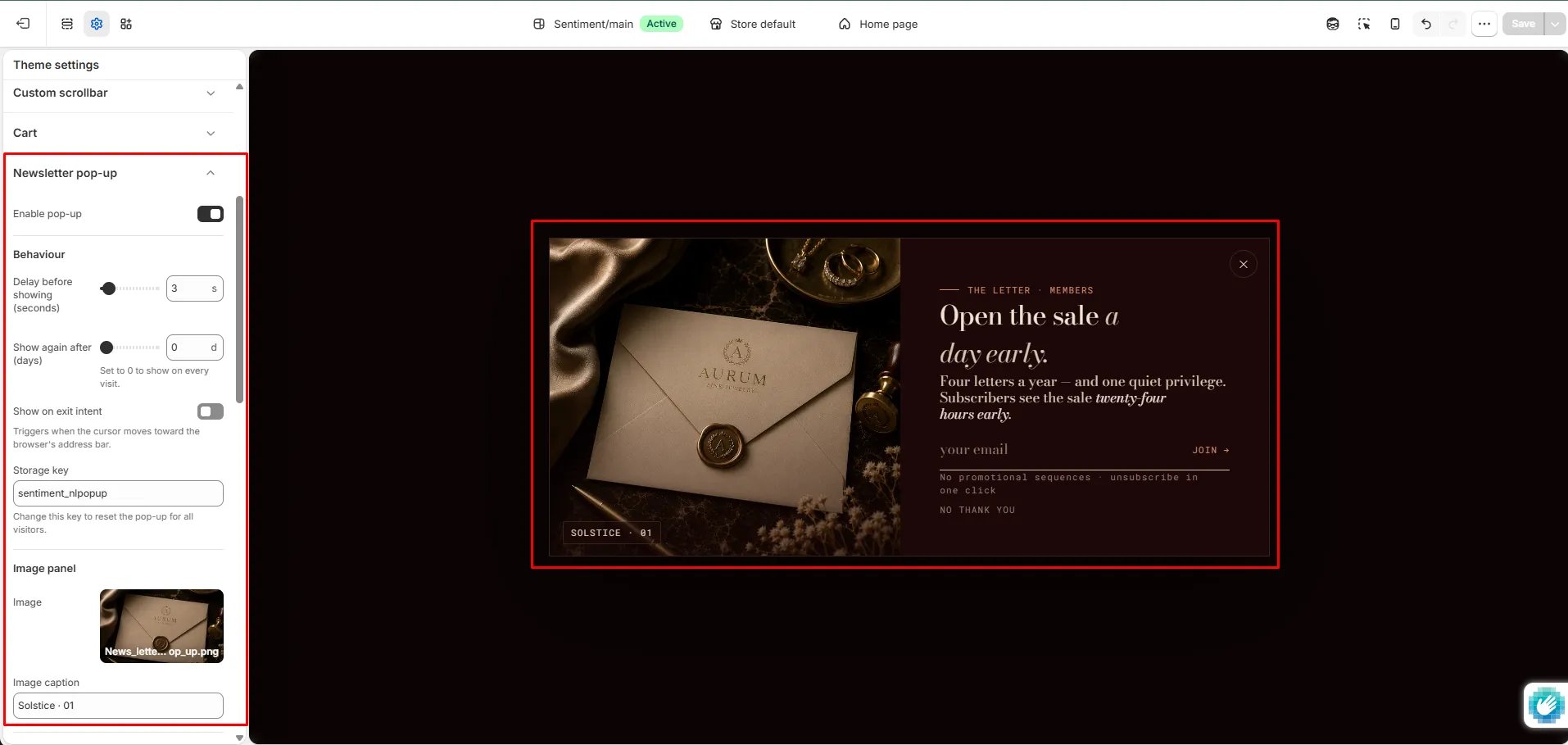
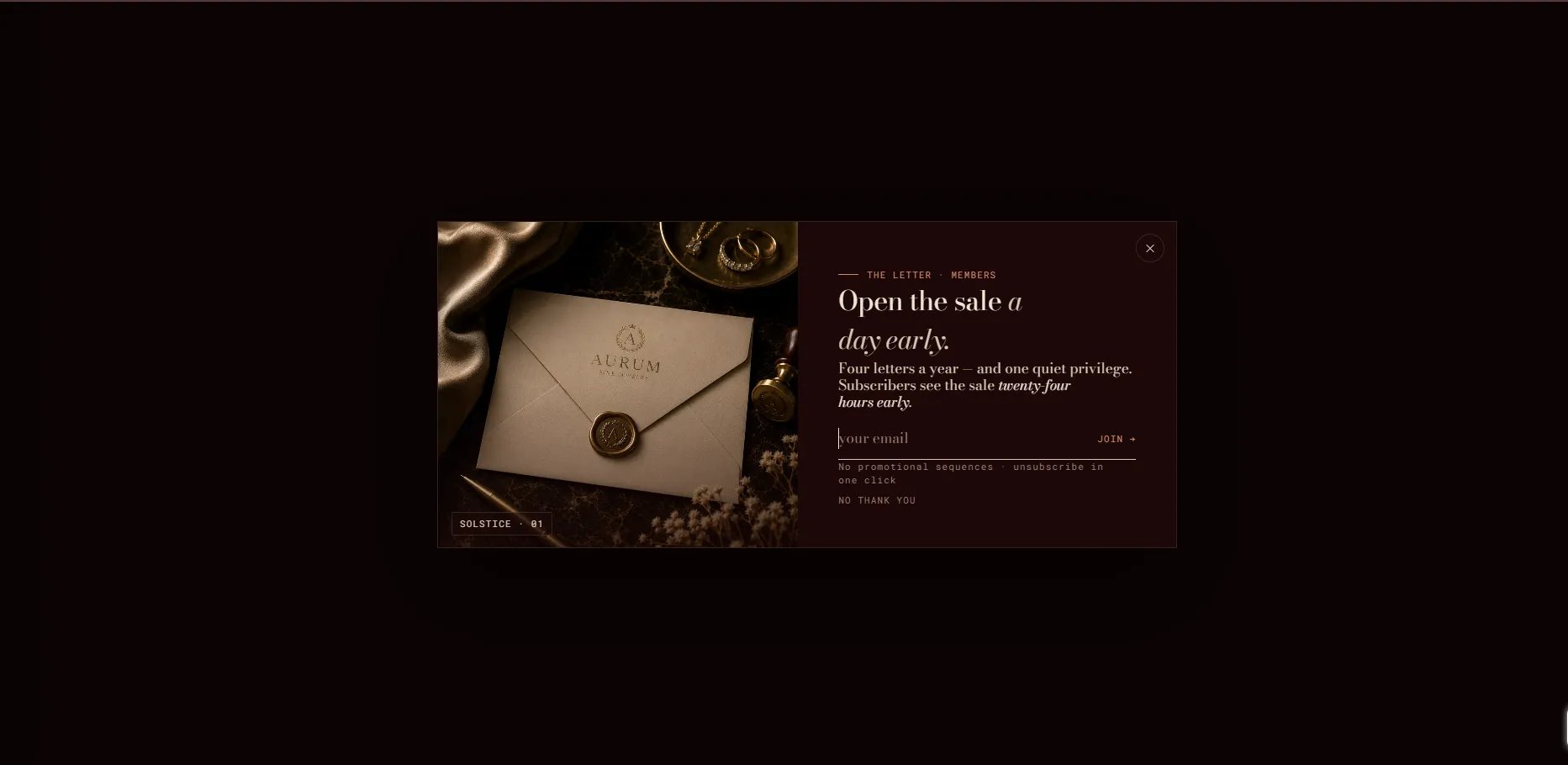
The **Newsletter Popup** is a site-wide email capture overlay that appears after a configurable delay. It features a branded image panel, email signup form, success state, and full control over appearance timing and frequency. It is configured via **Theme Settings → Newsletter pop-up**, not as a page section.
 ### How to Configure the Newsletter Popup
* From your Shopify admin, go to **Online Store → Themes** and click **Customize**.
* Click the **Theme settings** icon (gear icon) in the left sidebar.
* Select **Newsletter pop-up** from the settings list.
* Configure the behaviour, content, and style settings.
* Click **Save**.
### Settings
* **Enable pop-up:** Toggle to activate or deactivate the newsletter popup across the entire storefront.
#### Behaviour
* **Delay before showing:** Number of seconds after page load before the popup appears.
* **Show again after (days):** Number of days before the popup is shown again to a returning visitor. Set to **0** to show on every visit.
* **Show on exit intent:** When enabled, the popup triggers as the customer moves their cursor toward the browser address bar.
* **Storage key:** The key used to track whether a visitor has already seen the popup. Change this key to reset the popup for all visitors.
#### Image panel
* **Image:** Upload a branded image displayed alongside the signup form.
* **Image caption:** A short caption displayed below the image.
#### Content
* **Eyebrow label:** A small label above the heading.
* **Heading:** Main popup heading. Supports rich text formatting.
* **Body text:** Supporting copy. Supports rich text formatting.
* **Email placeholder:** Placeholder text inside the email input field.
* **Submit button text:** Label on the form's submit button.
* **Disclaimer text:** Small privacy or unsubscribe note below the form.
* **Decline link text:** Label on the link customers can click to dismiss the popup without subscribing.
#### Success state
* **Success heading:** Heading shown after a successful subscription.
* **Success body text:** Message shown on the success screen.
* **Success CTA text:** Label on the button that dismisses the success screen.
#### Style
* **Color scheme:** Choose from your store's defined color schemes to control the popup's appearance.
### How to Configure the Newsletter Popup
* From your Shopify admin, go to **Online Store → Themes** and click **Customize**.
* Click the **Theme settings** icon (gear icon) in the left sidebar.
* Select **Newsletter pop-up** from the settings list.
* Configure the behaviour, content, and style settings.
* Click **Save**.
### Settings
* **Enable pop-up:** Toggle to activate or deactivate the newsletter popup across the entire storefront.
#### Behaviour
* **Delay before showing:** Number of seconds after page load before the popup appears.
* **Show again after (days):** Number of days before the popup is shown again to a returning visitor. Set to **0** to show on every visit.
* **Show on exit intent:** When enabled, the popup triggers as the customer moves their cursor toward the browser address bar.
* **Storage key:** The key used to track whether a visitor has already seen the popup. Change this key to reset the popup for all visitors.
#### Image panel
* **Image:** Upload a branded image displayed alongside the signup form.
* **Image caption:** A short caption displayed below the image.
#### Content
* **Eyebrow label:** A small label above the heading.
* **Heading:** Main popup heading. Supports rich text formatting.
* **Body text:** Supporting copy. Supports rich text formatting.
* **Email placeholder:** Placeholder text inside the email input field.
* **Submit button text:** Label on the form's submit button.
* **Disclaimer text:** Small privacy or unsubscribe note below the form.
* **Decline link text:** Label on the link customers can click to dismiss the popup without subscribing.
#### Success state
* **Success heading:** Heading shown after a successful subscription.
* **Success body text:** Message shown on the success screen.
* **Success CTA text:** Label on the button that dismisses the success screen.
#### Style
* **Color scheme:** Choose from your store's defined color schemes to control the popup's appearance.