> ## Documentation Index
> Fetch the complete documentation index at: https://sentiment-docs.arhamwebworks.com/llms.txt
> Use this file to discover all available pages before exploring further.
# Press band
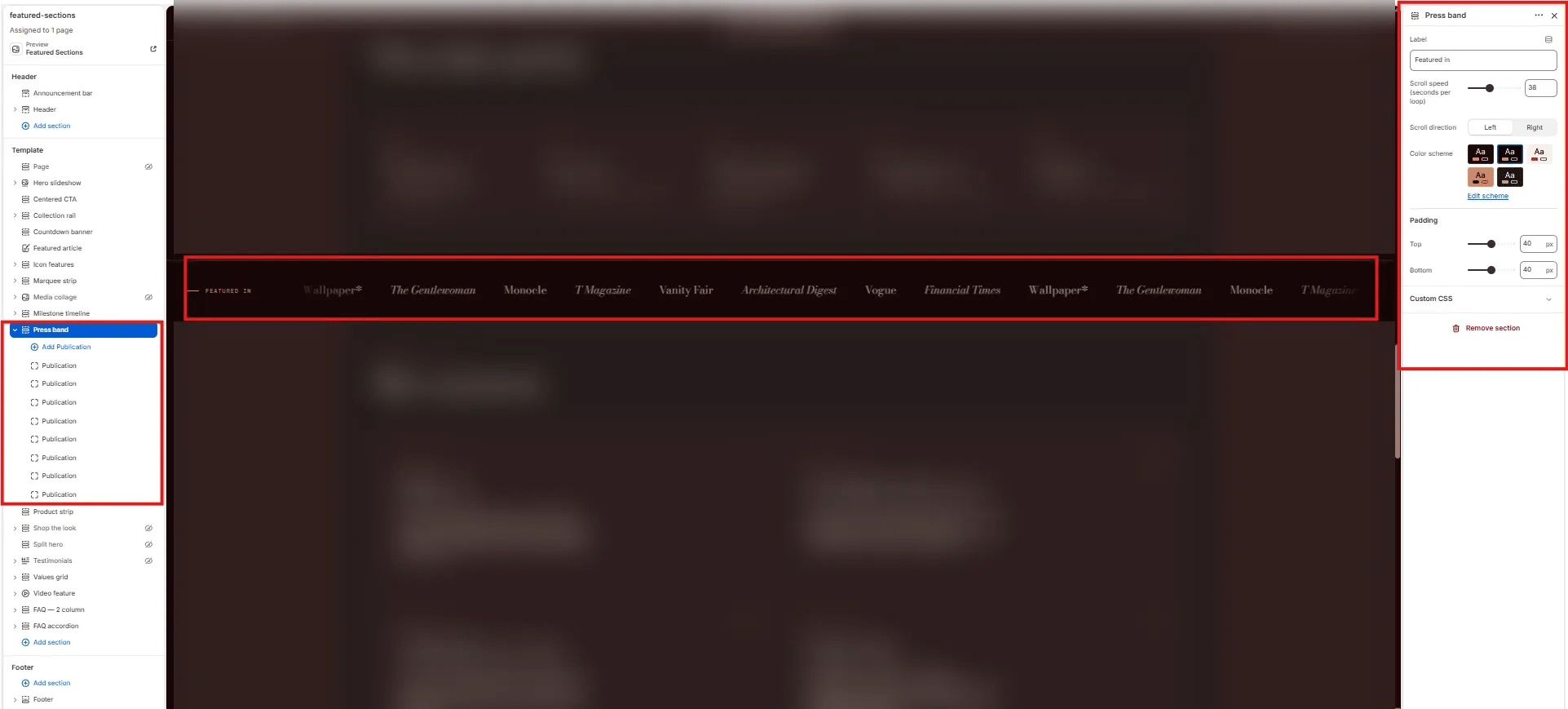
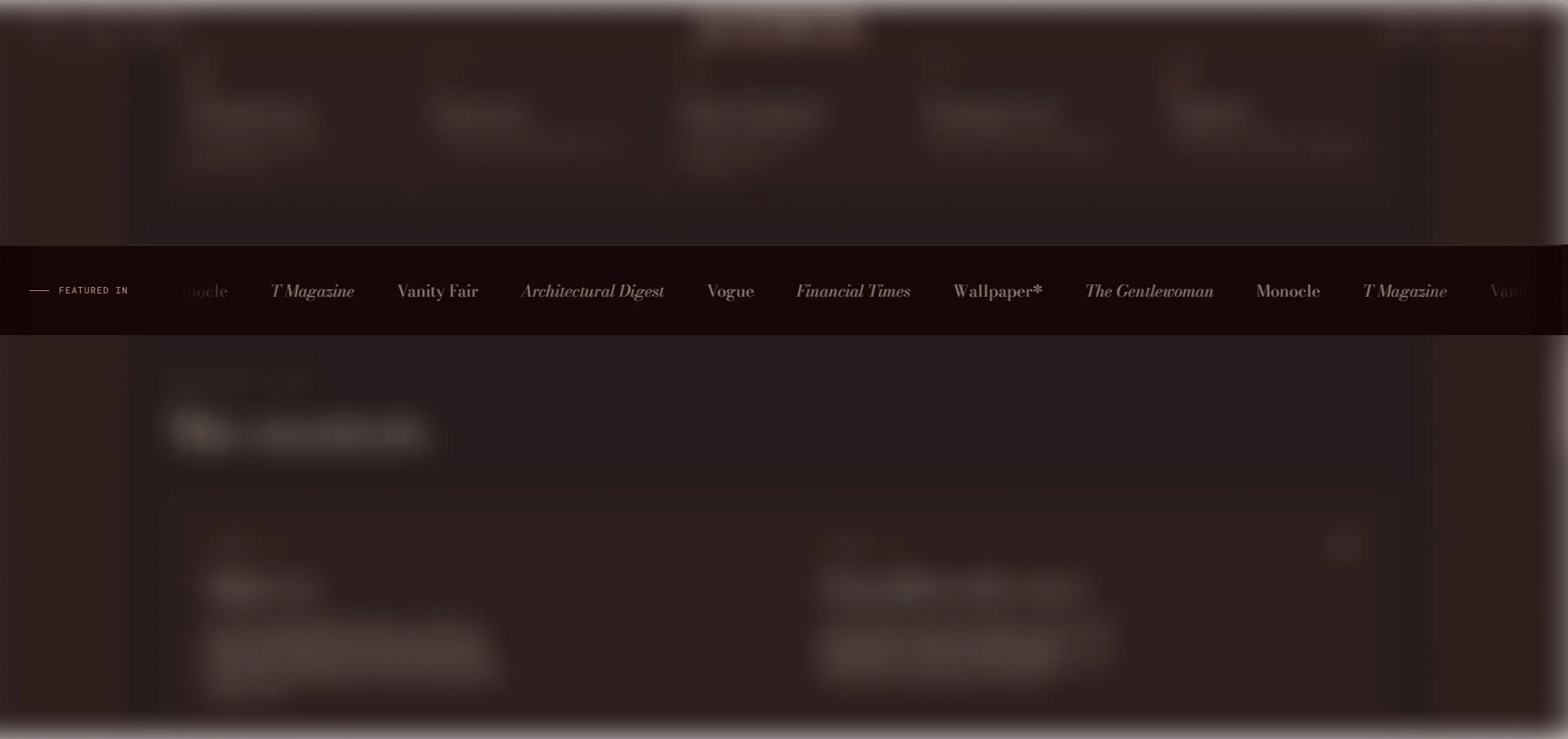
The **Press Band** section is a scrolling "as seen in" strip of press publication logos or names. Each publication can display a logo image or fall back to its name rendered in text. It's a concise way to build credibility and signal editorial recognition on the homepage or brand story pages. Supports up to 16 publications.
 ### How to Add the Section
1. From your Shopify admin, go to **Online Store → Themes** and click **Customize**.
2. Navigate to the page where you want to add this section.
3. Click **Add section** and select **Press band**.
4. Add **Publication** blocks for each press mention (up to 16).
5. Click **Save**.
### Section Settings
#### Content
* **Label:** A left-aligned label for the strip displayed before the logos begin scrolling (default: "Featured in").
#### Behaviour
* **Speed:** Controls how fast the strip scrolls (range: 10–80, step 2). Higher values scroll faster.
* **Direction:** Set the scroll direction — **Left** (default) or **Right**.
#### Style
* **Color scheme:** Choose a color scheme for the section.
#### Spacing
* **Padding top / Padding bottom:** Control vertical spacing around the section.
***
### Publication Block Settings
Each Publication block is one press logo or name entry in the strip. You can add up to 16 publications.
* **Logo:** Upload the publication's logo image. Recommended height: 40px, SVG or PNG with transparent background. If no image is uploaded, the **Name** is displayed as text.
* **Name:** The publication name (e.g., "Vogue"). Used as alt text when a logo is present, and as the display text when no logo is uploaded.
### How to Add the Section
1. From your Shopify admin, go to **Online Store → Themes** and click **Customize**.
2. Navigate to the page where you want to add this section.
3. Click **Add section** and select **Press band**.
4. Add **Publication** blocks for each press mention (up to 16).
5. Click **Save**.
### Section Settings
#### Content
* **Label:** A left-aligned label for the strip displayed before the logos begin scrolling (default: "Featured in").
#### Behaviour
* **Speed:** Controls how fast the strip scrolls (range: 10–80, step 2). Higher values scroll faster.
* **Direction:** Set the scroll direction — **Left** (default) or **Right**.
#### Style
* **Color scheme:** Choose a color scheme for the section.
#### Spacing
* **Padding top / Padding bottom:** Control vertical spacing around the section.
***
### Publication Block Settings
Each Publication block is one press logo or name entry in the strip. You can add up to 16 publications.
* **Logo:** Upload the publication's logo image. Recommended height: 40px, SVG or PNG with transparent background. If no image is uploaded, the **Name** is displayed as text.
* **Name:** The publication name (e.g., "Vogue"). Used as alt text when a logo is present, and as the display text when no logo is uploaded.