> ## Documentation Index
> Fetch the complete documentation index at: https://sentiment-docs.arhamwebworks.com/llms.txt
> Use this file to discover all available pages before exploring further.
# Product strip
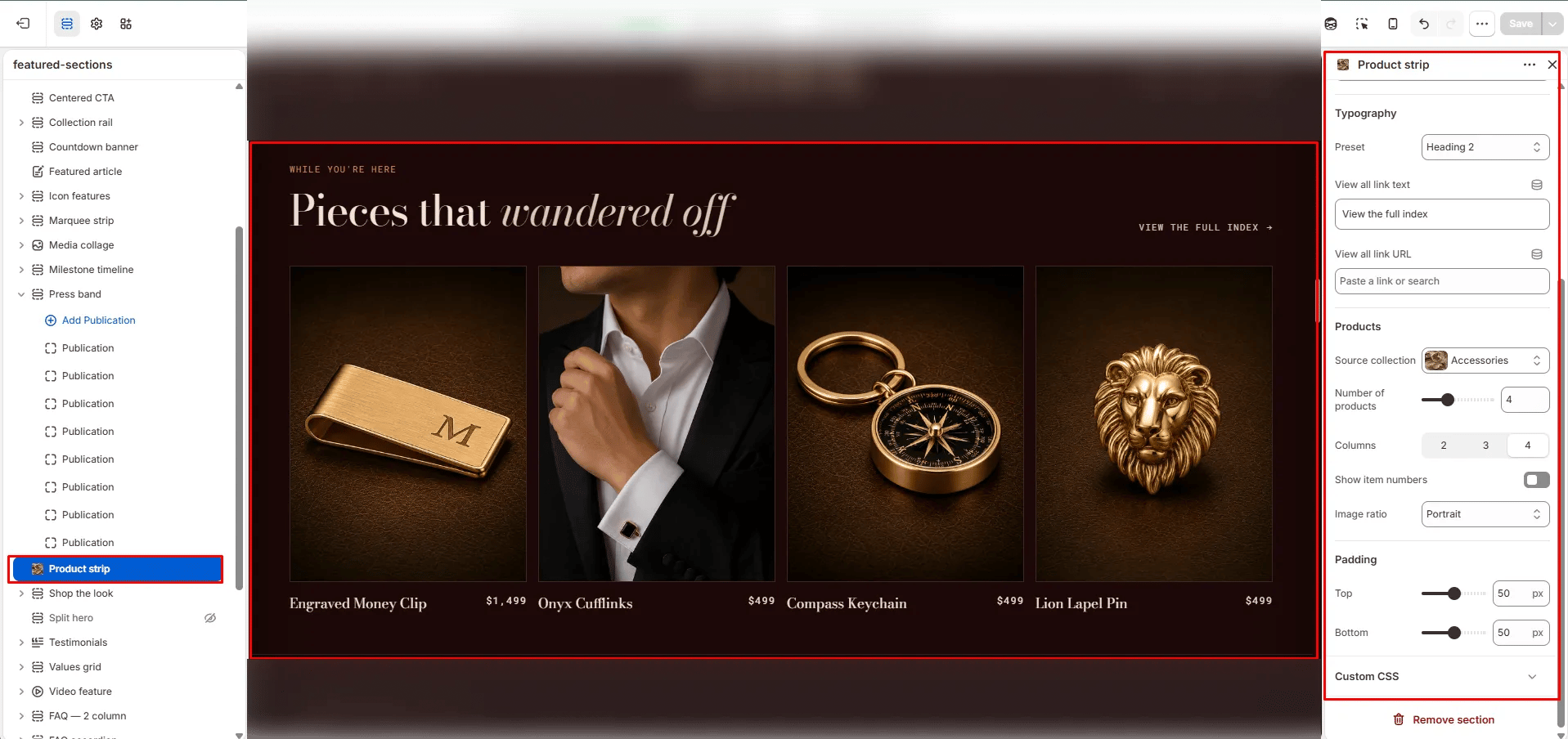
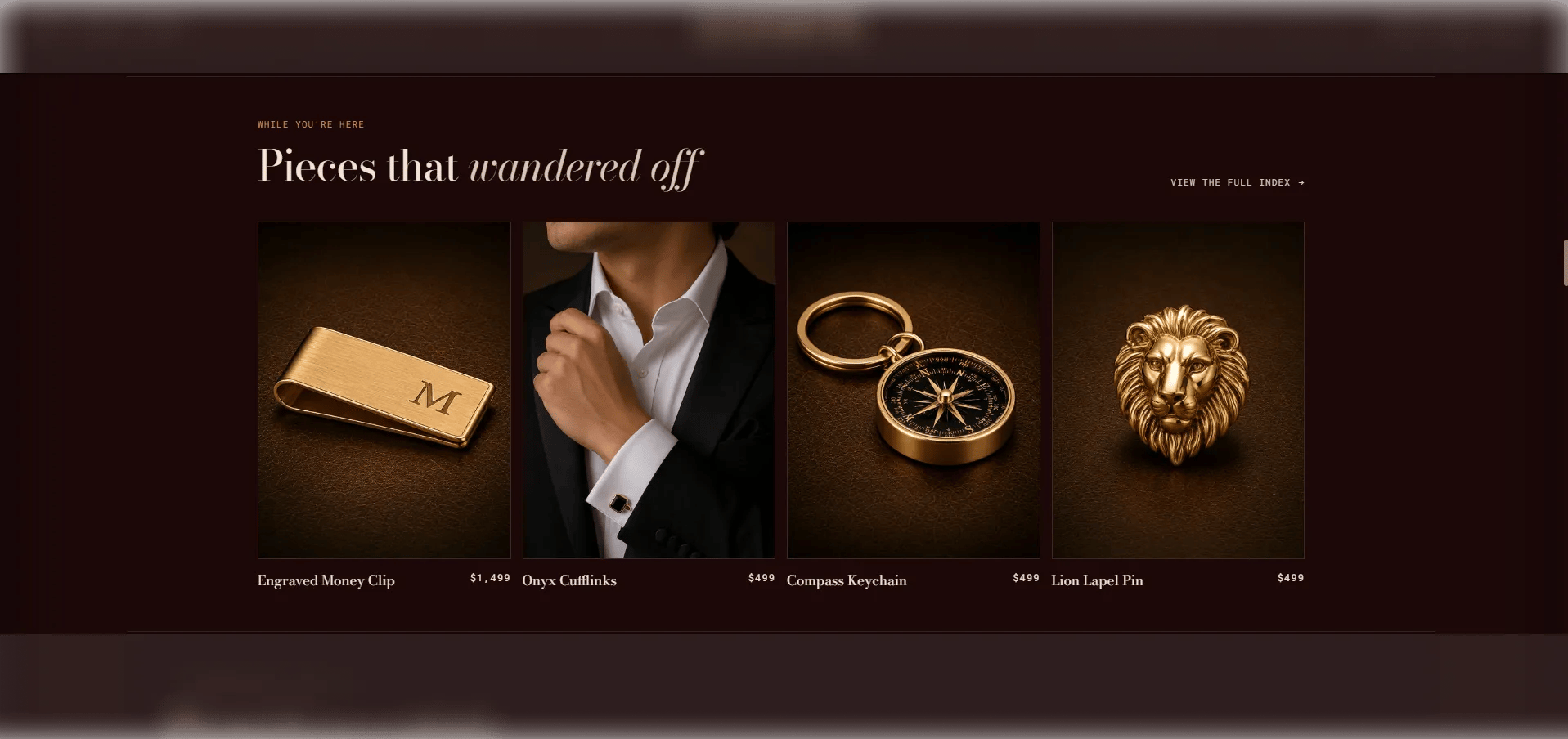
The **Product Strip** section is a compact product grid that surfaces a small selection from a single collection alongside an editorial heading and a view-all link. Unlike the full Product carousel, it presents products in a static grid rather than a scrollable row — making it ideal for integrating a product selection into a larger editorial page without overwhelming the layout.
 ### How to Add the Section
1. From your Shopify admin, go to **Online Store → Themes** and click **Customize**.
2. Navigate to the page where you want to add this section.
3. Click **Add section** and select **Product strip**.
4. Select a collection and configure the display settings.
5. Click **Save**.
### Section Settings
#### Content
* **Eyebrow:** Small label above the heading.
* **Heading:** Main heading text.
* **Heading italic:** An italic portion of the heading rendered in the italic type style.
* **Heading typography:** Select the typographic style. Includes a lede option for editorial-scale headings.
* **View all text:** Label for the view-all link.
* **View all URL:** The link destination for the view-all CTA.
#### Source & Display
* **Full width:** When enabled, the section stretches edge-to-edge.
* **Collection:** Select the Shopify collection to pull products from.
* **Products to show:** Number of products to display in the grid (range: 2–8).
* **Columns:** Number of columns on desktop (2, 3, or 4).
* **Show item numbers:** Toggle to display sequential numbers on each product card.
* **Image ratio:** Aspect ratio for product images — Portrait, Square, Landscape, or Adapt.
#### Spacing
* **Padding top / Padding bottom:** Control vertical spacing around the section.
### How to Add the Section
1. From your Shopify admin, go to **Online Store → Themes** and click **Customize**.
2. Navigate to the page where you want to add this section.
3. Click **Add section** and select **Product strip**.
4. Select a collection and configure the display settings.
5. Click **Save**.
### Section Settings
#### Content
* **Eyebrow:** Small label above the heading.
* **Heading:** Main heading text.
* **Heading italic:** An italic portion of the heading rendered in the italic type style.
* **Heading typography:** Select the typographic style. Includes a lede option for editorial-scale headings.
* **View all text:** Label for the view-all link.
* **View all URL:** The link destination for the view-all CTA.
#### Source & Display
* **Full width:** When enabled, the section stretches edge-to-edge.
* **Collection:** Select the Shopify collection to pull products from.
* **Products to show:** Number of products to display in the grid (range: 2–8).
* **Columns:** Number of columns on desktop (2, 3, or 4).
* **Show item numbers:** Toggle to display sequential numbers on each product card.
* **Image ratio:** Aspect ratio for product images — Portrait, Square, Landscape, or Adapt.
#### Spacing
* **Padding top / Padding bottom:** Control vertical spacing around the section.