> ## Documentation Index
> Fetch the complete documentation index at: https://sentiment-docs.arhamwebworks.com/llms.txt
> Use this file to discover all available pages before exploring further.
# Split hero
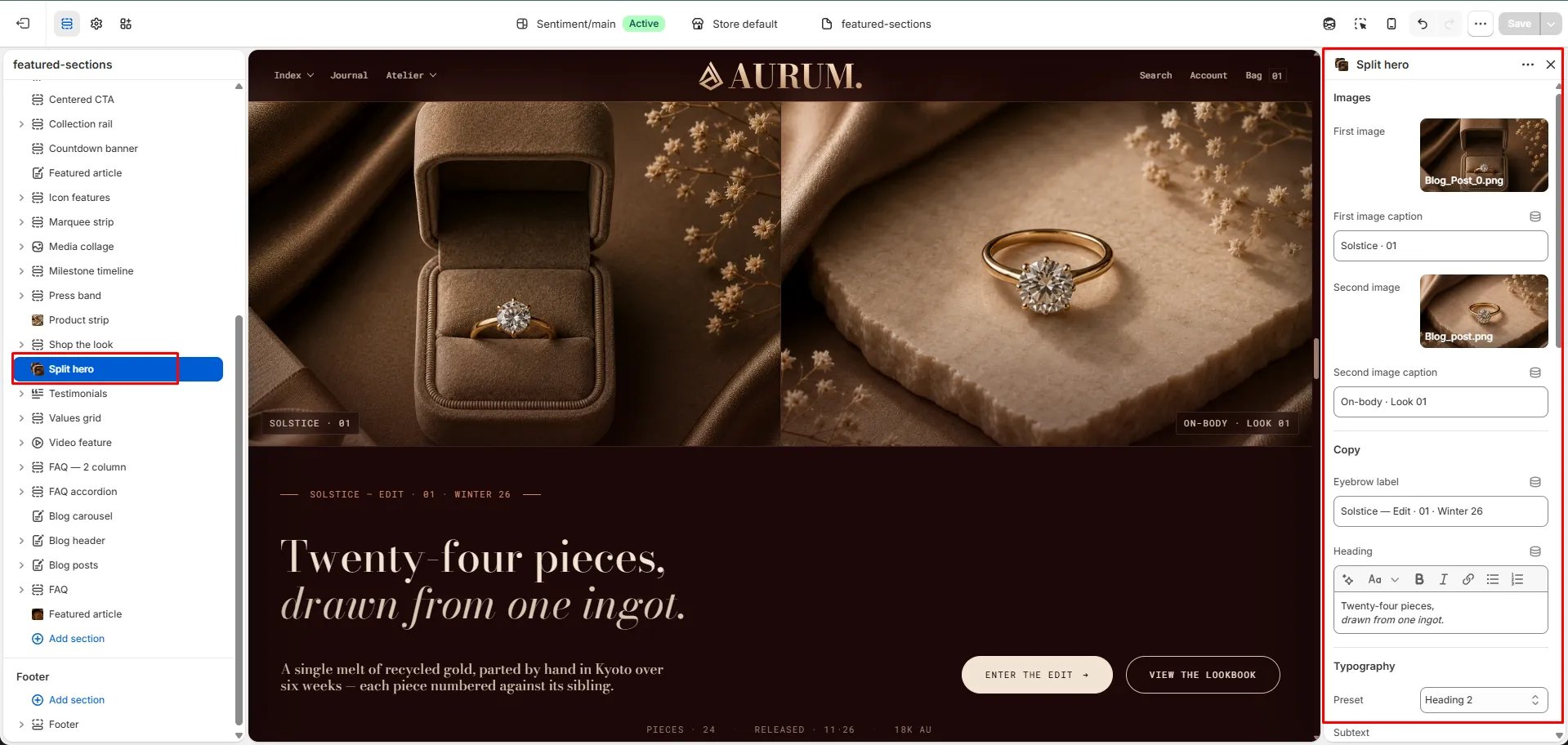
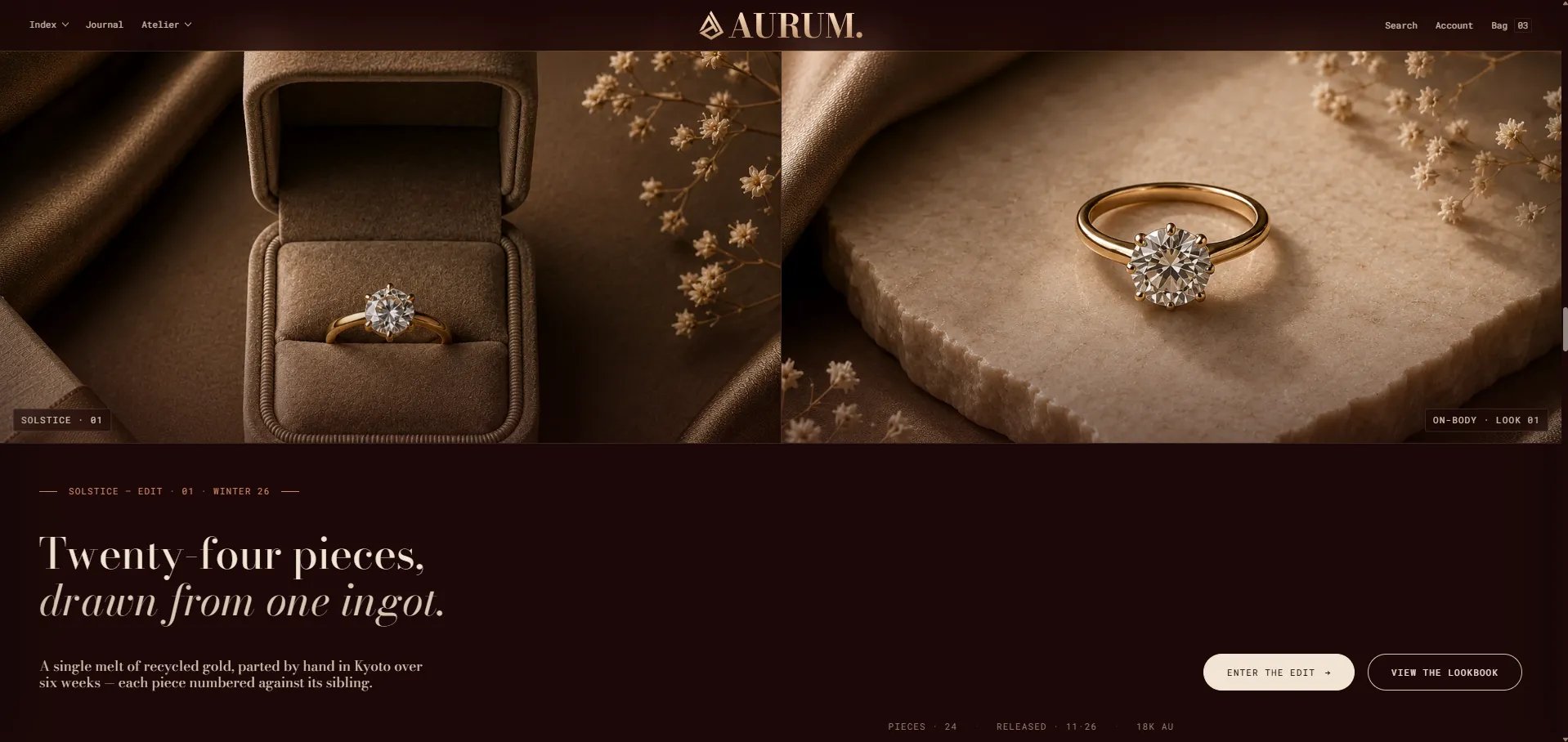
The **Split Hero** section is a full-width double-image hero with a centered editorial copy panel, dual CTAs, and three metadata labels. The two images share the full viewport width and flank the central text — creating a strong, balanced composition for collection campaign launches, seasonal editorials, or brand statements.
 ### How to Add the Section
1. From your Shopify admin, go to **Online Store → Themes** and click **Customize**.
2. Navigate to the page where you want to add this section.
3. Click **Add section** and select **Split hero**.
4. Upload both images and fill in the content, CTAs, and metadata fields.
5. Click **Save**.
### Section Settings
#### Images
* **Image 1:** Upload the left panel image.
* **Caption 1:** A caption label displayed on the first image (e.g., "Solstice · 01").
* **Image 2:** Upload the right panel image.
* **Caption 2:** A caption label displayed on the second image (e.g., "On-body · Look 01").
#### Content
* **Eyebrow:** Small label above the heading.
* **Heading:** Main hero heading. Supports rich text and italic emphasis.
* **Heading typography:** Select the typographic style for the heading.
* **Subtext:** Supporting body text displayed below the heading.
#### Call to Action
* **CTA 1 text / URL:** Primary CTA button label and link.
* **CTA 2 text / URL:** Secondary CTA button label and link.
#### Metadata
* **Meta 1 / 2 / 3:** Three metadata labels displayed below the CTAs (e.g., "Pieces · 24", "Released · 11·26", "18k Au").
#### Style
* **Color scheme:** Choose a color scheme for the section.
#### Spacing
* **Padding top / Padding bottom:** Control vertical spacing around the section.
### How to Add the Section
1. From your Shopify admin, go to **Online Store → Themes** and click **Customize**.
2. Navigate to the page where you want to add this section.
3. Click **Add section** and select **Split hero**.
4. Upload both images and fill in the content, CTAs, and metadata fields.
5. Click **Save**.
### Section Settings
#### Images
* **Image 1:** Upload the left panel image.
* **Caption 1:** A caption label displayed on the first image (e.g., "Solstice · 01").
* **Image 2:** Upload the right panel image.
* **Caption 2:** A caption label displayed on the second image (e.g., "On-body · Look 01").
#### Content
* **Eyebrow:** Small label above the heading.
* **Heading:** Main hero heading. Supports rich text and italic emphasis.
* **Heading typography:** Select the typographic style for the heading.
* **Subtext:** Supporting body text displayed below the heading.
#### Call to Action
* **CTA 1 text / URL:** Primary CTA button label and link.
* **CTA 2 text / URL:** Secondary CTA button label and link.
#### Metadata
* **Meta 1 / 2 / 3:** Three metadata labels displayed below the CTAs (e.g., "Pieces · 24", "Released · 11·26", "18k Au").
#### Style
* **Color scheme:** Choose a color scheme for the section.
#### Spacing
* **Padding top / Padding bottom:** Control vertical spacing around the section.