> ## Documentation Index
> Fetch the complete documentation index at: https://sentiment-docs.arhamwebworks.com/llms.txt
> Use this file to discover all available pages before exploring further.
# Testimonials
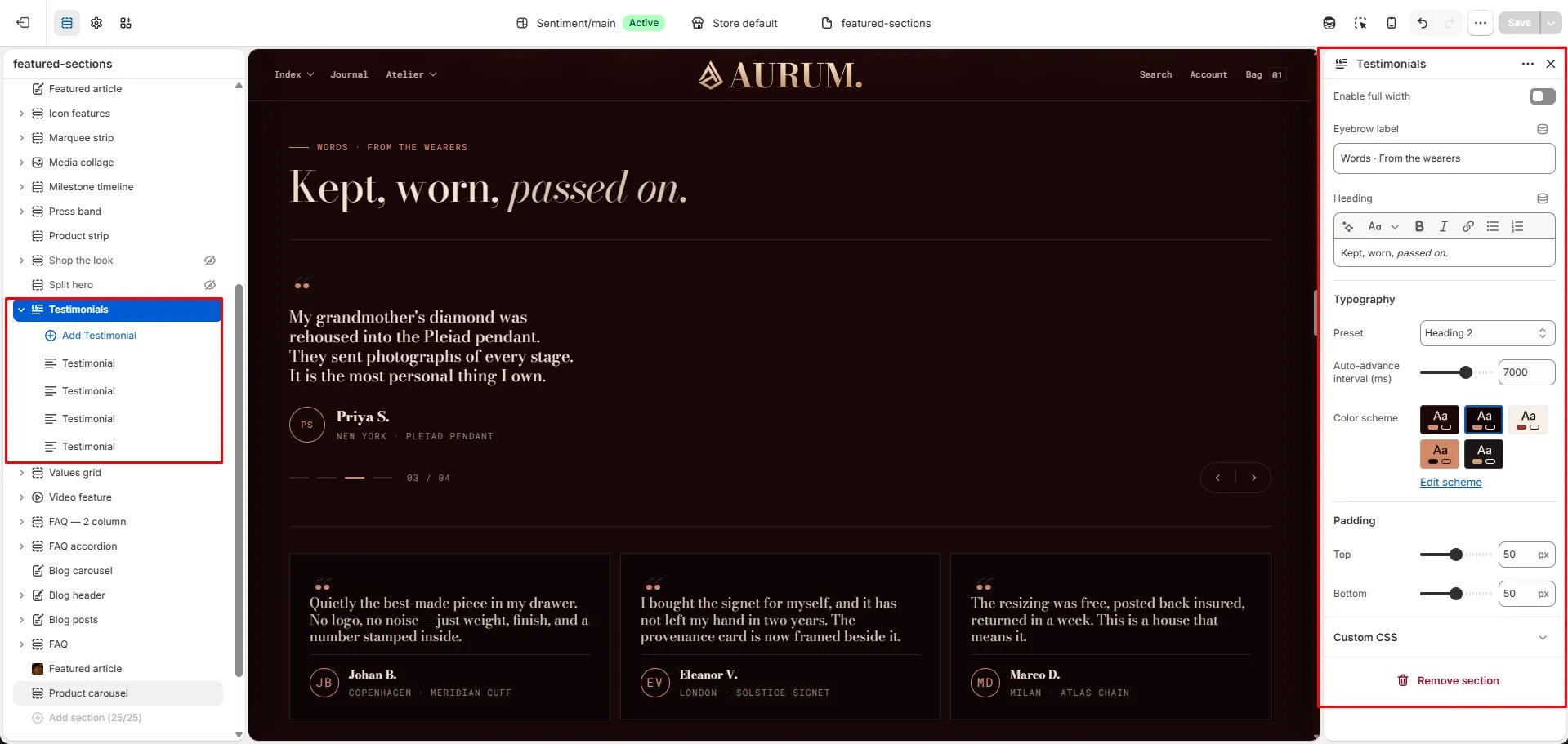
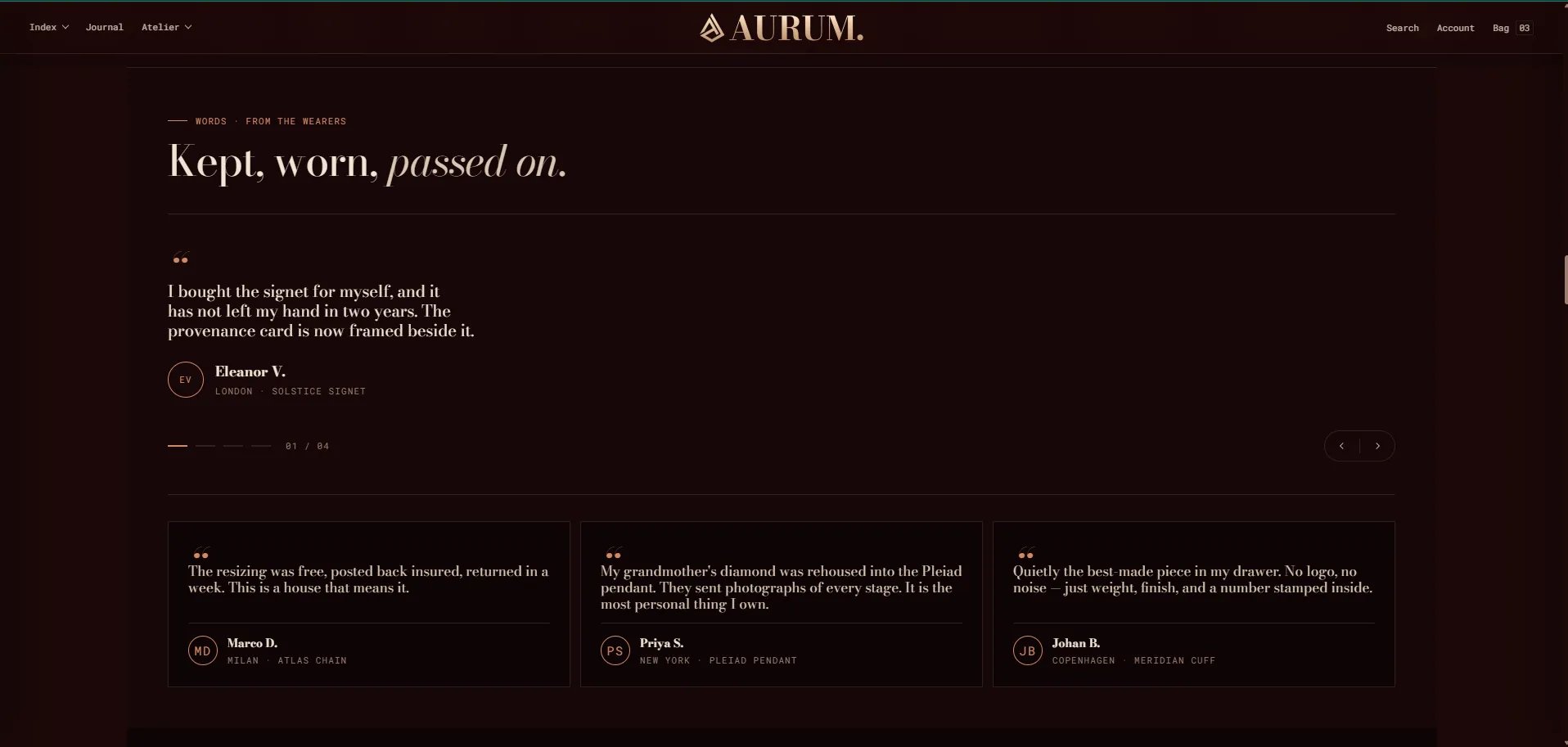
The **Testimonials** section is an auto-rotating customer review carousel with a large featured quote center stage, navigation dots, arrows, and flanking side cards. It's designed to build social proof and trust on the homepage, product landing pages, or anywhere customer voices strengthen the buying decision. Supports up to 12 testimonials.
 ### How to Add the Section
1. From your Shopify admin, go to **Online Store → Themes** and click **Customize**.
2. Navigate to the page where you want to add this section.
3. Click **Add section** and select **Testimonials**.
4. Add **Testimonial** blocks for each customer review.
5. Click **Save**.
### Section Settings
#### Content
* **Eyebrow:** Small label above the heading.
* **Heading:** Main section heading. Supports rich text and italic emphasis.
* **Heading typography:** Select the typographic style for the heading.
#### Behaviour
* **Auto interval:** Time in milliseconds between automatic slide advances (range: 3000–9000ms, step 1000ms). Default is 7000ms (7 seconds).
#### Style
* **Full width:** When enabled, the section stretches edge-to-edge.
* **Color scheme:** Choose a color scheme for the section.
#### Spacing
* **Padding top / Padding bottom:** Control vertical spacing around the section.
***
### Testimonial Block Settings
Each Testimonial block is one customer review in the carousel. You can add up to 12 testimonials.
* **Quote:** The customer review text displayed in the featured quote stage.
* **Author name:** The customer's full name or display name.
* **Author location:** The customer's location (e.g., "London" or "New York").
* **Product name:** The product the customer is reviewing (displayed on the card).
* **Initials:** The customer's initials, used as an avatar placeholder in the side cards (e.g., "EV").
### How to Add the Section
1. From your Shopify admin, go to **Online Store → Themes** and click **Customize**.
2. Navigate to the page where you want to add this section.
3. Click **Add section** and select **Testimonials**.
4. Add **Testimonial** blocks for each customer review.
5. Click **Save**.
### Section Settings
#### Content
* **Eyebrow:** Small label above the heading.
* **Heading:** Main section heading. Supports rich text and italic emphasis.
* **Heading typography:** Select the typographic style for the heading.
#### Behaviour
* **Auto interval:** Time in milliseconds between automatic slide advances (range: 3000–9000ms, step 1000ms). Default is 7000ms (7 seconds).
#### Style
* **Full width:** When enabled, the section stretches edge-to-edge.
* **Color scheme:** Choose a color scheme for the section.
#### Spacing
* **Padding top / Padding bottom:** Control vertical spacing around the section.
***
### Testimonial Block Settings
Each Testimonial block is one customer review in the carousel. You can add up to 12 testimonials.
* **Quote:** The customer review text displayed in the featured quote stage.
* **Author name:** The customer's full name or display name.
* **Author location:** The customer's location (e.g., "London" or "New York").
* **Product name:** The product the customer is reviewing (displayed on the card).
* **Initials:** The customer's initials, used as an avatar placeholder in the side cards (e.g., "EV").