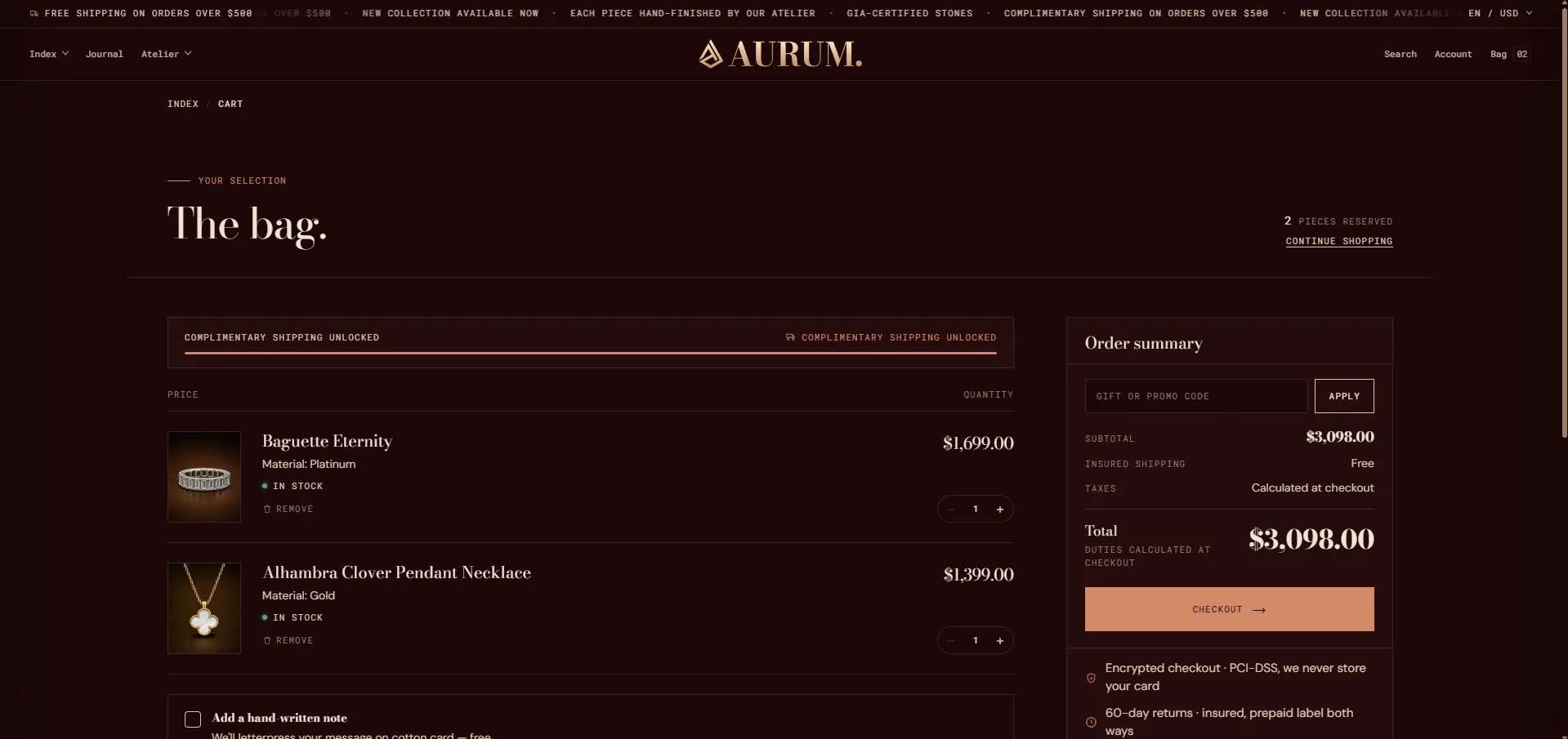
How to Configure the Cart Page
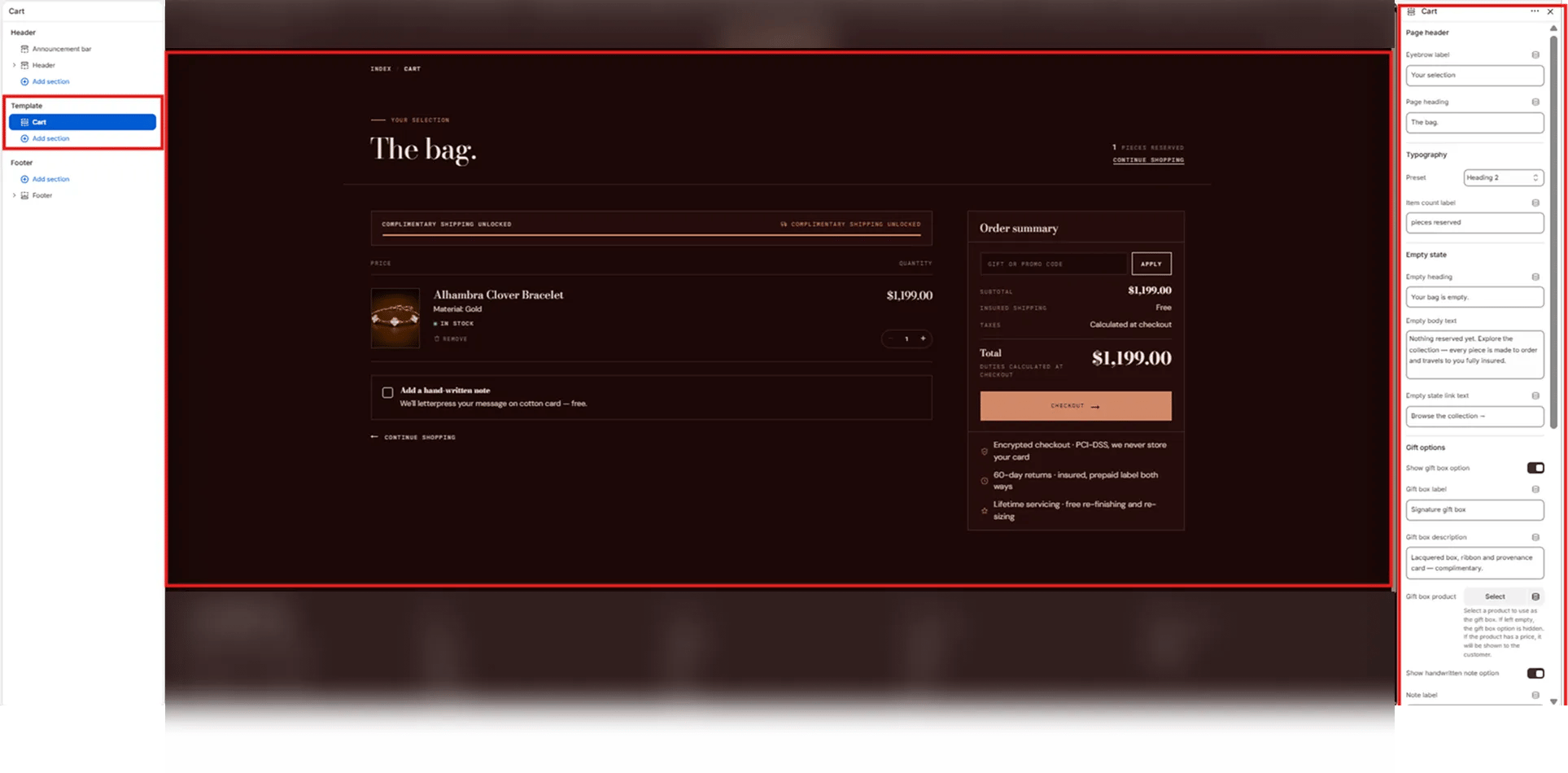
- From your Shopify admin, go to Online Store → Themes and click Customize.
- From the top page dropdown, select Cart.
- Click Cart in the left sidebar under Template to open its settings.
- Click Save when done.
Cart Section Settings
Page Header
- Eyebrow label: Small label displayed above the page heading (e.g., “Your selection”).
- Page heading: The main cart page title (e.g., “The bag.”).
- Typography: Choose the typographic preset for the page heading (e.g., Heading 2).
- Item count label: Text shown next to the cart item count in the top-right of the header (e.g., “pieces reserved” — displays as “1 PIECES RESERVED”).
Empty State
These fields control what customers see when their cart is empty.- Empty heading: Heading displayed on an empty cart (e.g., “Your bag is empty.”).
- Empty body text: Supporting message below the empty heading (e.g., “Nothing reserved yet. Explore the collection — every piece is made to order and travels to you fully insured.”).
- Empty-state link text: Label for the browse link shown on the empty cart page (e.g., “Browse the collection →”).
Gift Options
The gift box option appears as a selectable add-on in the cart, letting customers add a branded gift box to their order.- Show gift box option: Toggle to show or hide the gift box upsell in the cart.
- Gift box label: Name of the gift box option displayed to the customer (e.g., “Signature gift box”).
- Gift box description: Short description shown below the gift box label (e.g., “Lacquered box, ribbon and provenance card — complimentary.”).
- Gift box product: Select the Shopify product to use as the gift box. If left empty, the gift box option is hidden. If the selected product has a price, it will be shown to the customer.
Handwritten Note
- Show handwritten note option: Toggle to show or hide a handwritten note checkbox in the cart. When enabled, customers can opt in to add a personal message (e.g., “We’ll letterpress your message on cotton card — free.”).
- Note label: The checkbox label and supporting text shown next to the note option.