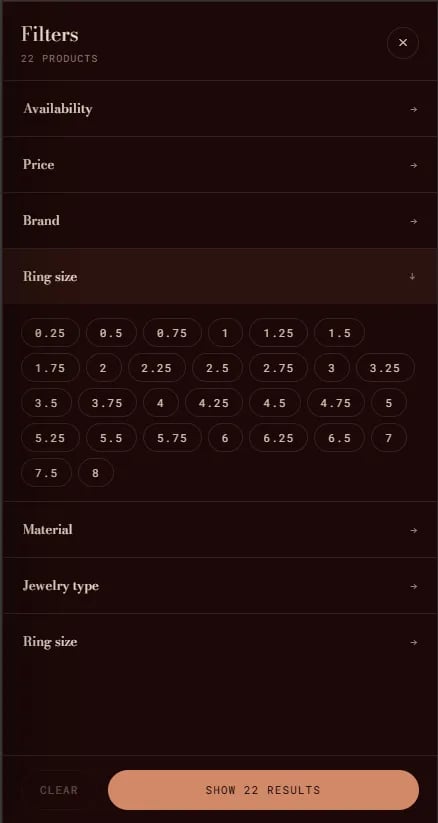
The Collection Filter is a slide-out filter and sort drawer built into collection pages. It allows customers to filter products by available metafields, tags, price, and availability, and to sort results by price, date, or relevance. The collection filter is a built-in component embedded within the Collection section — it is not a standalone section. It is toggled via the Show filter and sort setting on the collection page section.
Collection Filter 1

How to Enable the Collection Filter

  • From your Shopify admin, go to Online Store → Themes and click Customize.
  • Navigate to a Collection template page.
  • Select the Collection section in the left sidebar.
  • Enable Show filter and sort to activate the filter toolbar.
  • Click Save.
To configure which filters are available to customers, go to your Shopify Admin → Search & Discovery appFilters, and enable the product attributes you want customers to be able to filter by.