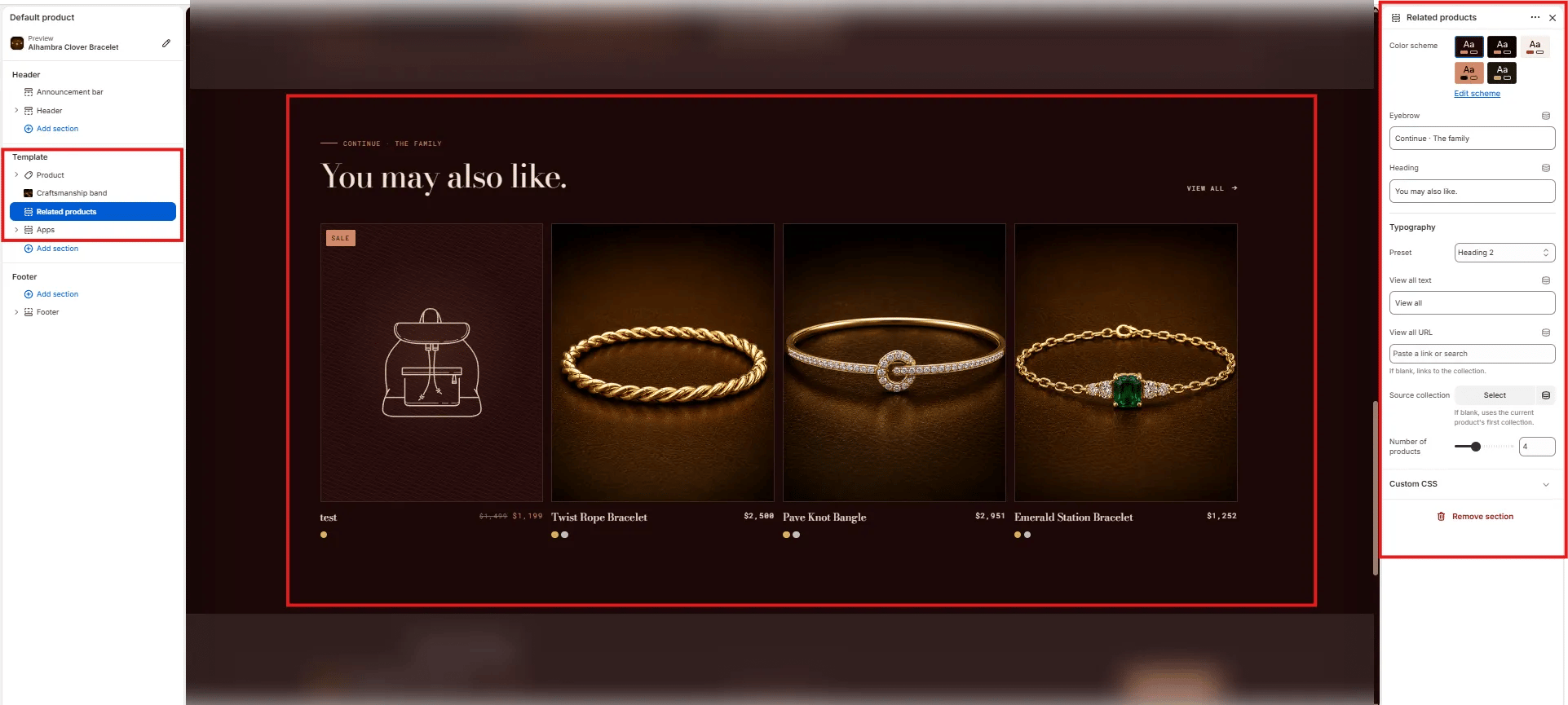
How to Add the Section
- From your Shopify admin, go to Online Store → Themes and click Customize.
- Navigate to a product page.
- Click Add section and select Related products.
- Configure the settings below and click Save.
Section Settings
Content
- Eyebrow: Small label above the heading (e.g., “Continue · The family”).
- Heading: Main section heading (e.g., “You may also like.”).
- Typography: Typographic preset for the heading (e.g., Heading 2).
- View all text: Label for the “View all” link (default: “View all”).
- View all URL: Destination for the “View all” link. Leave blank to auto-link to the source collection.
Source
- Source collection: Select a specific collection to pull related products from. If left blank, the section automatically uses the current product’s first collection.
- Number of products: Number of product cards to show in the grid (range: 2–8, default: 4).